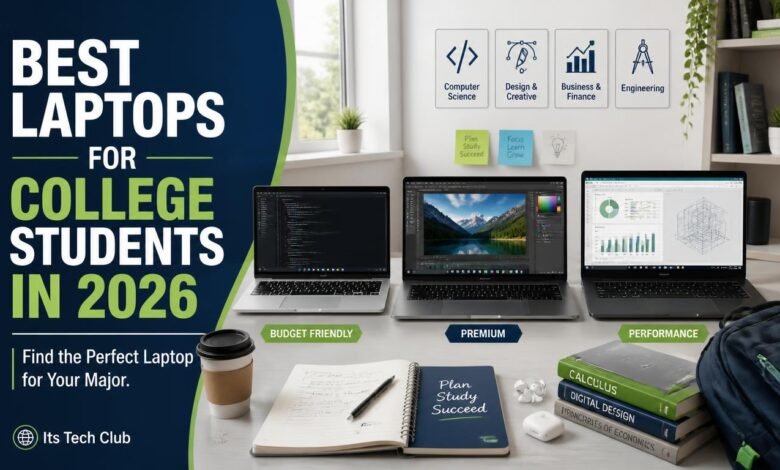
Finding the best laptop for college students in 2026 starts with one simple truth: the right machine depends on your major. An engineering student running code has very different needs from a design student editing video or a business major living in spreadsheets. This guide matches six proven laptops to the majors they serve best, so you can buy once and stay happy for all four years.
We focused on what actually matters on campus: battery life that survives a full day of lectures, weight that will not wreck your back, and performance that stays smooth through senior year. Every pick below is a real 2026 model from a major manufacturer. Let us start with what to look for, then get to the picks.
Short answer: The best laptop for college students in 2026 is the 13 inch Apple MacBook Air with the M4 chip for most majors, thanks to its all day battery life, silent fanless design, and light 2.7 pound body. Windows users should look at the Dell XPS 13, while tight budgets are best served by the Acer Aspire Go 15.

What Should College Students Look for in a Laptop in 2026?
You should prioritize all day battery life, a light body, at least 16GB of RAM, and a comfortable keyboard above everything else. Those four traits decide whether a laptop still feels great in year four. Here are the five criteria that matter most.
- Battery life of 12 hours or more. You will not always find an outlet in a packed lecture hall, so real world endurance matters more than the number on the box.
- Weight under 3 pounds. A heavy laptop turns every walk across campus into a chore, so target ultrabooks in the 2.5 to 3 pound range.
- At least 16GB of RAM. Eight gigabytes feels fine today but gets tight with dozens of tabs, video calls, and study apps open at once.
- A minimum of 512GB of storage. Textbooks, lecture recordings, and project files add up fast, so give yourself room to grow over four years.
- A keyboard and screen you can live with. You will type thousands of pages on this machine, and a bright sharp display saves your eyes during late night sessions.

The 6 Best Laptops for College Students by Major
1. Best Overall: Apple MacBook Air 13 (M4)
The MacBook Air with the M4 chip is the safest recommendation for most college students in 2026. It pairs seriously fast performance with a completely silent fanless design, so it never distracts you in a quiet library. The battery genuinely lasts through a full day of classes, notes, and streaming.
At just 2.7 pounds it disappears into a backpack, and the 13.6 inch Liquid Retina display stays sharp through late night study sessions. Free AI study helpers like the ones in our ChatGPT vs Gemini free comparison run perfectly in the browser on this machine. Just confirm one thing first: some engineering and accounting programs are Windows only, so check your major’s software list before you buy.
- Display: 13.6 inch Liquid Retina
- Chip: Apple M4
- RAM: 8GB base, 16GB recommended
- Weight: 2.7 pounds
- Best for: liberal arts, business, and general coursework
2. Best for Engineering and Computer Science: Lenovo ThinkPad X1 Carbon Gen 13
Engineering and computer science students need a Windows machine that runs specialized software, virtual machines, and development tools without complaint. The ThinkPad X1 Carbon Gen 13 is built for exactly that, with a fast Intel Core Ultra chip and legendary ThinkPad durability. It is also one of the lightest 14 inch laptops ever made at barely over 2 pounds.
The keyboard is the best you will find on any student laptop, which matters when you write code for hours every day. Military grade durability testing means it survives backpack abuse and four years of daily use. Battery life stretches past 12 hours, so it handles a full lab day without hunting for outlets.
- Display: 14 inch, up to 2.8K OLED
- Chip: Intel Core Ultra
- RAM: 16GB to 32GB configurations
- Weight: about 2.2 pounds
- Best for: engineering, computer science, and data science
3. Best for Business Students: Dell XPS 13 (9350)
Business students live in spreadsheets, slide decks, and video calls, and the Dell XPS 13 handles all of it with polish. Its compact aluminum body looks right at home in internships and networking events. The edge to edge display makes side by side multitasking comfortable even on a 13 inch screen.
The latest Intel Core Ultra chips push battery life toward 15 hours with strong everyday performance. Thunderbolt 4 ports make docking with an external monitor simple for serious spreadsheet sessions. Port selection is minimal at just two USB C ports, so plan on a small hub.
- Display: 13.4 inch, up to 120Hz or OLED
- Chip: Intel Core Ultra 7
- RAM: 16GB
- Weight: 2.7 pounds
- Best for: business, finance, and economics majors
4. Best for Design and Media Students: ASUS Zenbook 14 OLED (2026)
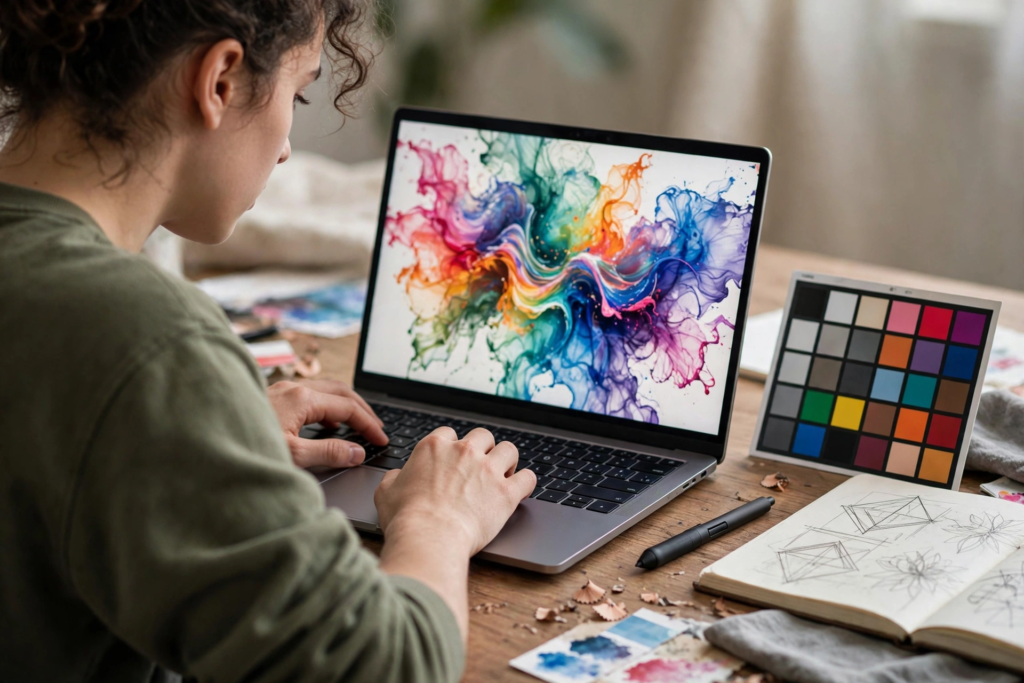
Design, film, and media students should prioritize screen quality above almost everything else. The Zenbook 14 OLED delivers a stunning 120Hz OLED panel at a mid range price, with rich accurate color for photo editing and video timelines. The 2026 model pairs that display with a fast Intel Core Ultra 7 chip that chews through creative apps.
At 2.8 pounds it is still easy to carry to studio sessions and shoots. Around 12 hours of battery covers a full day of classes with editing work in between. Very heavy 3D rendering may call for a dedicated graphics card, but for most undergraduate design programs this is the ideal creative pick.
- Display: 14 inch OLED, 120Hz
- Chip: Intel Core Ultra 7 255H
- RAM: 16GB
- Weight: 2.8 pounds
- Best for: graphic design, film, and media studies
5. Best 2 in 1 for Note Taking: HP Spectre x360 14
If you take notes by hand, a convertible laptop changes everything. The HP Spectre x360 14 flips into tablet mode so you can write directly on lecture slides with the included pen. The gem cut aluminum design also happens to be one of the most attractive laptops on any campus.
As a regular laptop it stays fully capable, with an Intel Core Ultra 7 chip and around 14 hours of battery life. The 360 degree hinge feels sturdy after thousands of flips. Convertibles cost more than similar clamshells, so you pay a premium for the flexibility, but handwritten note takers will find it worth every cent.
- Display: 14 inch 2 in 1 touchscreen
- Chip: Intel Core Ultra 7
- RAM: 16GB
- Weight: 3.2 pounds
- Best for: liberal arts, sciences, and handwritten note takers
6. Best Budget Pick Under 500 Dollars: Acer Aspire Go 15
Not every student needs a thousand dollar machine, and the Acer Aspire Go 15 proves it. This 15 inch laptop covers essays, research, video calls, and streaming for under 500 dollars. The larger screen is a genuine plus for split screen studying when you cannot afford an external monitor.
Performance is modest but honest: everyday apps run smoothly, though heavy multitasking will make it pause. Battery life of around 7 to 8 hours means keeping the charger handy on long days. Pair it with free browser based helpers like the AI writing tools we tested for 2026 and you have a surprisingly capable study setup.
- Display: 15.6 inch full HD
- Chip: entry level AMD Ryzen or Intel processor
- RAM: 8GB
- Weight: under 4 pounds
- Best for: general coursework on a tight budget
Which Is the Best Laptop for College Students in 2026? Quick Comparison
Still deciding? This side by side rundown puts all six picks in one place. Find your major, check the standout feature, and your shortlist writes itself.
- Apple MacBook Air 13 (M4). Best for most majors. Standout: silent fanless design with all day battery life.
- Lenovo ThinkPad X1 Carbon Gen 13. Best for engineering and computer science. Standout: the finest laptop keyboard in a 2.2 pound body.
- Dell XPS 13 (9350). Best for business students. Standout: premium compact build with up to 15 hour battery life.
- ASUS Zenbook 14 OLED (2026). Best for design and media. Standout: 120Hz OLED display at a mid range price.
- HP Spectre x360 14. Best for handwritten note takers. Standout: 360 degree convertible design with included pen.
- Acer Aspire Go 15. Best for tight budgets. Standout: full size 15 inch screen for under 500 dollars.
Key Takeaways
- Match the laptop to your major first and your budget second. Software requirements for engineering or design programs narrow the field fast.
- Sixteen gigabytes of RAM and 512GB of storage are the sweet spot for a four year degree. Skip 8GB models if you plan to keep the machine through graduation.
- Battery life and weight shape your daily happiness more than benchmark scores. Prioritize 12 hour or better battery in a body under 3 pounds.
- Buy during back to school sales from July through September for the deepest student discounts. Education pricing runs year round if you miss the window.
College Laptop FAQs
How much RAM does a college student need?
Sixteen gigabytes is the right answer for almost every major in 2026. It keeps dozens of browser tabs, video calls, and study apps running smoothly together. Eight gigabytes handles light use but will feel slow well before you graduate.
Is a MacBook or a Windows laptop better for college?
It depends on your major and its required software. MacBooks deliver the best battery life, silent operation, and build quality, making them ideal for liberal arts, business, and general coursework. Windows laptops remain mandatory for engineering, architecture, and accounting programs whose tools only run on Windows.
Should you buy a 2 in 1 laptop for taking notes?
A 2 in 1 convertible is worth it if you genuinely take handwritten notes or sketch diagrams. Writing directly on lecture slides beats typing for many science and math students. If you only ever type, buy a traditional laptop with better specs for the same money. Free AI study helpers that run on any of these machines are compared in our Claude vs ChatGPT breakdown for 2026.
When is the best time to buy a laptop for college?
Late summer back to school sales bring the deepest discounts, usually July through September. Manufacturers also run year round education stores with student pricing if you miss that window. Avoid buying right before a major launch unless you want the previous model at clearance.
Final Thoughts: Pick the Laptop That Fits Your Major
The best laptop for college students in 2026 is not the most expensive machine on this list. It is the one that runs your major’s software, survives your longest day, and fits comfortably in your backpack. Start with your major, set your budget, and let the six picks above narrow it down.
Buy once, buy right, and your laptop will carry you from freshman orientation to graduation day. Pair it with solid study habits and the free AI tools linked above, and you will get far more from it than specs alone can deliver.