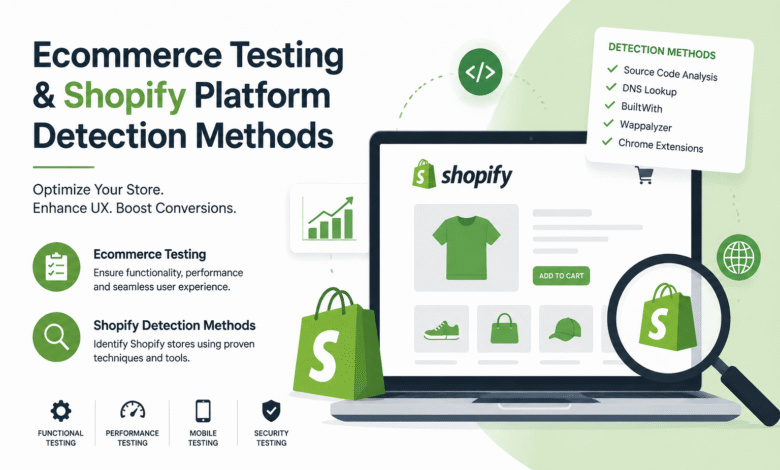
Shopify has become one of the most popular ecommerce platforms for businesses worldwide, providing an easy-to-use interface, customizable themes, and integrated payment solutions. Many website owners choose Shopify due to its scalability and simplicity, which allows entrepreneurs to launch stores quickly without requiring extensive technical knowledge. Its intuitive dashboard and plugin ecosystem help users manage products, inventory, and customer interactions efficiently.
Understanding Shopify ecommerce platform detection methods is essential for developers, marketers, and security specialists who want to evaluate or analyze online stores. Knowing how to detect a Shopify platform can help identify potential performance issues, ensure compatibility with tools, and gain insights into market trends. Its Tech Club frequently highlights such methods for professionals seeking actionable strategies in the ecommerce ecosystem.
URL Patterns for Shopify Detection
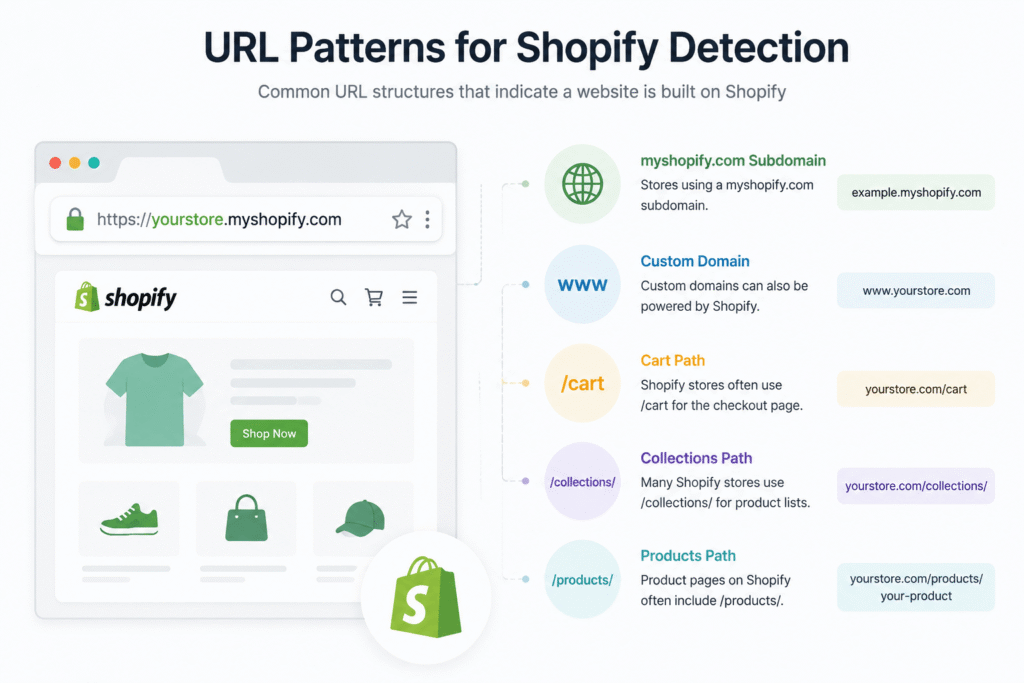
There are multiple techniques for detecting Shopify ecommerce stores, ranging from simple visual cues to advanced analytical tools. One of the most straightforward methods is by examining the website’s URL structure. Shopify stores often follow a specific pattern, including the presence of “/collections” or “/products” in the URL path.
Additionally, many Shopify stores include the “myshopify.com” domain, which can easily indicate the platform. Recognizing these patterns allows analysts to quickly determine whether a website operates on Shopify without the need for complex software or coding knowledge. This method is particularly useful for marketers conducting competitive research or SEO audits of ecommerce platforms.
Analyzing Page Source and HTML
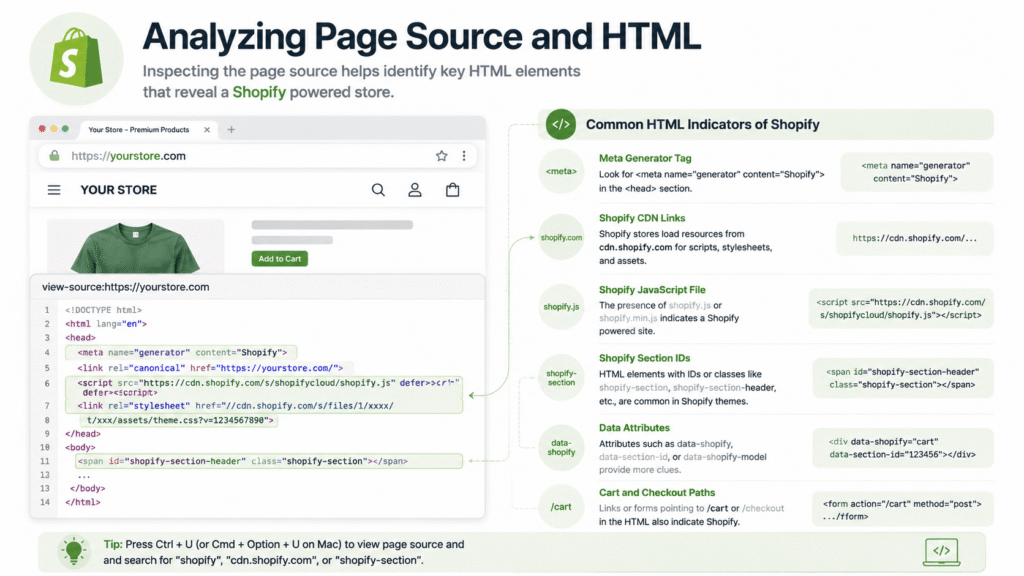
Another reliable method involves analyzing the page source or underlying HTML of the website. Shopify includes distinctive code snippets, such as references to Liquid templates and Shopify-specific JavaScript files. Inspecting the source code using a browser’s developer tools can reveal these unique elements, including script files like “shopify_common.js” or meta tags referencing Shopify’s CDN.
Developers and marketers often use this method to verify if certain features or integrations are supported by Shopify, which can inform decisions about plugin compatibility or theme customization. By understanding these code patterns, professionals can quickly identify Shopify stores and prepare strategies for analytics, advertising, or technical improvements.
DNS and WHOIS Lookup Methods
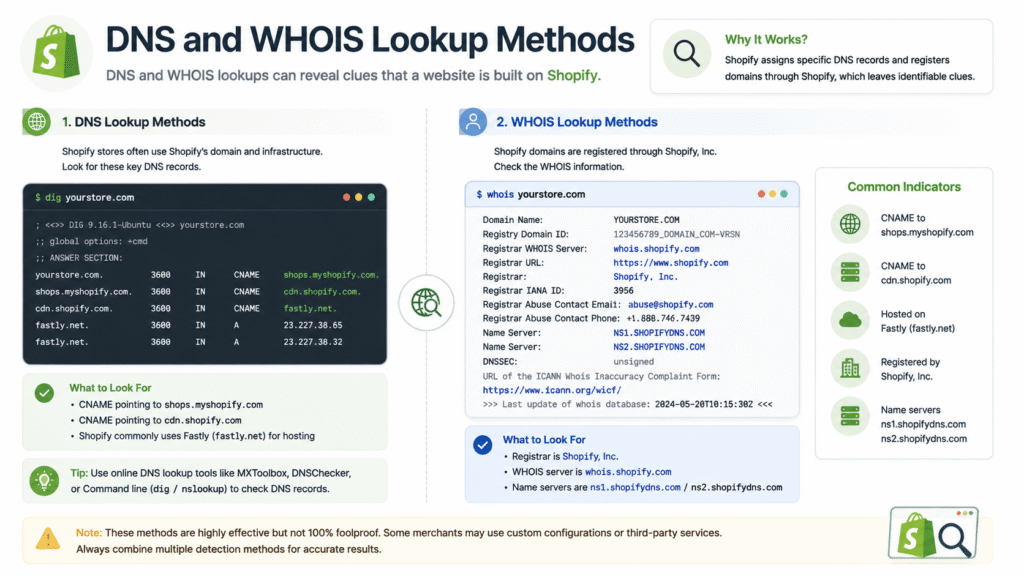
DNS and WHOIS lookups provide a more technical approach to Shopify detection. Many Shopify stores use third-party domains that point to Shopify’s servers. By performing a DNS lookup, it is possible to identify Shopify’s IP addresses and hosting patterns, which can reveal the underlying platform.
Similarly, a WHOIS search can provide domain registration information, although it does not always guarantee Shopify usage because custom domains may mask the hosting platform. Combining DNS information with other detection methods improves the accuracy of identifying Shopify stores, providing a more complete picture for developers and marketers.
Using BuiltWith for Shopify Detection
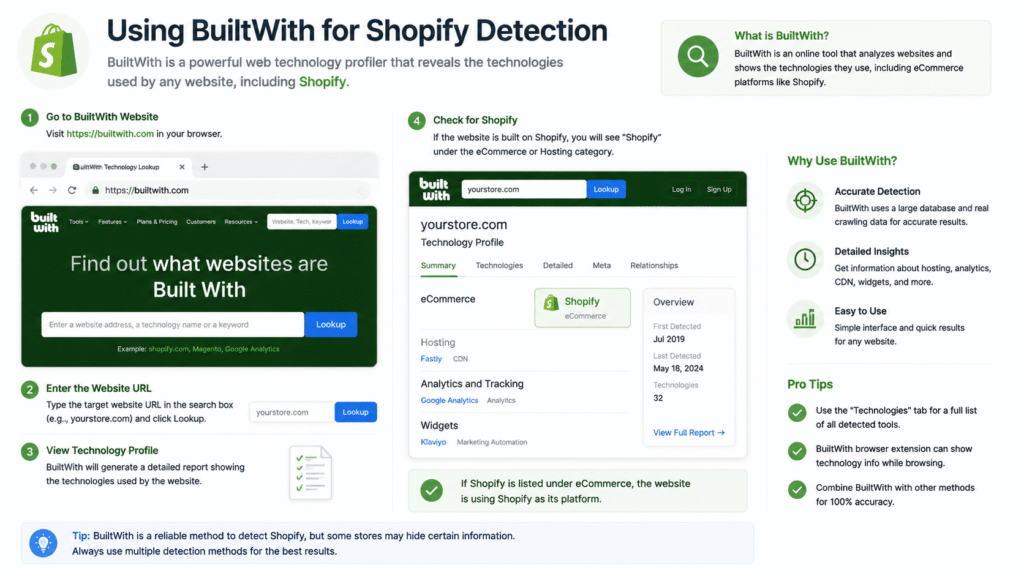
BuiltWith is a powerful tool that allows users to identify Shopify websites effectively. It is an online service that scans websites for technology usage and detects platforms, plugins, and analytics tools. By entering a website URL, BuiltWith can provide detailed reports indicating whether a site is running Shopify, along with the version and installed apps.
This method is particularly useful for marketers conducting market research, allowing them to discover trends in Shopify usage across specific industries or geographic regions. Using BuiltWith, professionals can analyze competitors, evaluate potential collaborations, and make data-driven decisions about ecommerce strategy.
Wappalyzer Browser Extension
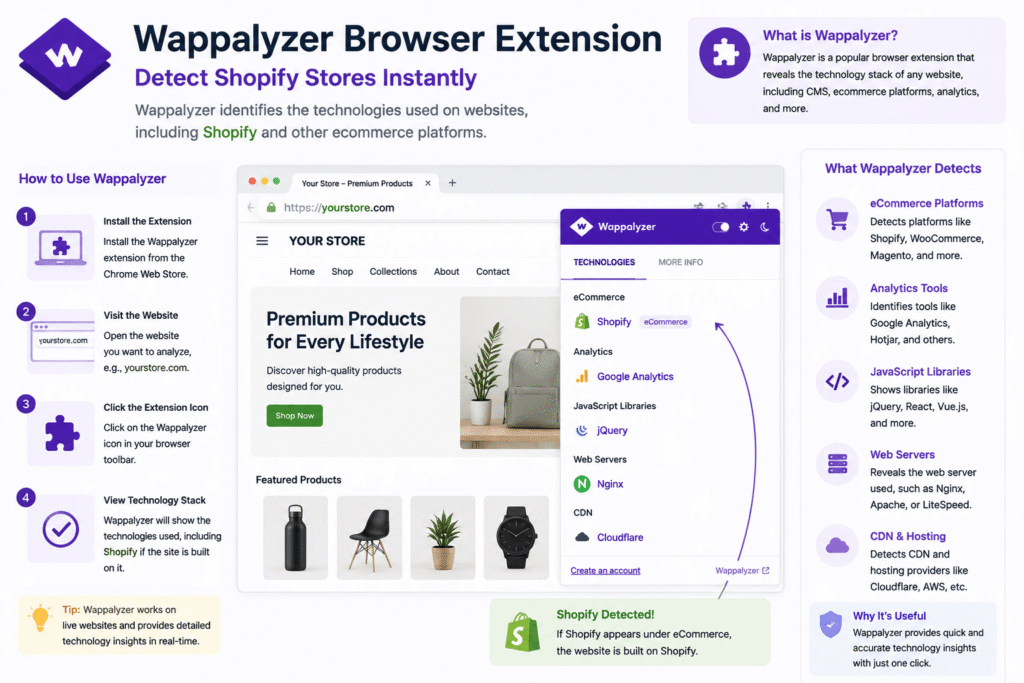
Wappalyzer is a browser extension that offers similar capabilities for Shopify platform detection. Once installed, Wappalyzer can detect underlying technologies, ecommerce platforms, and content management systems of visited websites. It provides instant results, making it convenient for professionals who frequently analyze multiple sites.
Wappalyzer also detects analytics tools, payment gateways, and hosting providers, providing a broader perspective on the technical ecosystem of Shopify stores. This tool helps developers, consultants, and marketers gain actionable insights into ecommerce technology usage and adoption trends.
Chrome Extensions and Add-ons
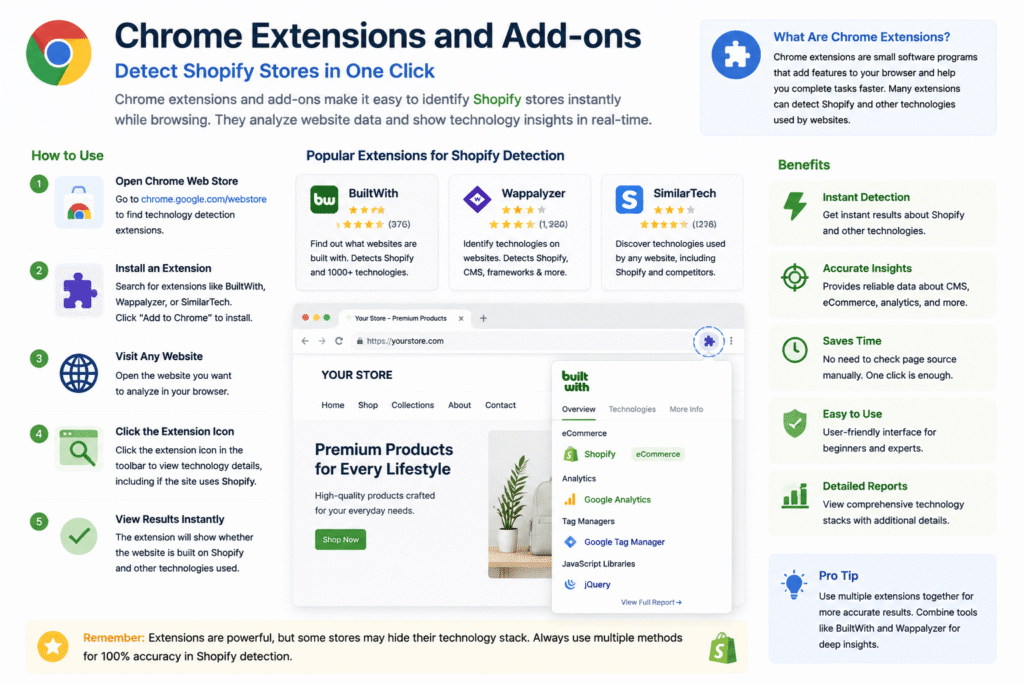
Chrome extensions and browser add-ons provide a practical way to identify Shopify stores quickly. Extensions like Shopify Inspector or Commerce Inspector highlight Shopify-specific elements, including Liquid tags, scripts, and theme structures.
These tools can reveal product details, pricing, app usage, and even historical data about sales trends. They are widely used by ecommerce consultants, competitive intelligence teams, and digital marketers to understand store performance, product strategy, and potential opportunities.
Monitoring Network Requests
Another method is checking the network requests generated when visiting a website. Shopify stores frequently make requests to specific endpoints, such as “cdn.shopify.com” or “cdn.shopifycloud.com,” which deliver scripts, images, and resources. Monitoring network activity through developer tools can expose these endpoints.
This approach helps developers and security experts evaluate loading speed, resource optimization, and potential vulnerabilities associated with Shopify hosting. Analyzing network requests provides actionable insights for improving user experience or implementing advanced tracking systems.
Visual Cues for Shopify Detection
Visual cues remain a simple but effective detection method. Certain default Shopify themes, layout structures, and design elements are distinctive to the platform. Observing these design characteristics can give clues to the underlying platform even when custom domains and unique themes are used.
Learning to recognize visual patterns helps with initial assessments before using more technical methods like code inspection or analytics tools. This technique is especially useful for bloggers, marketers, and ecommerce enthusiasts analyzing competitor sites.
SEO and Structured Data Analysis
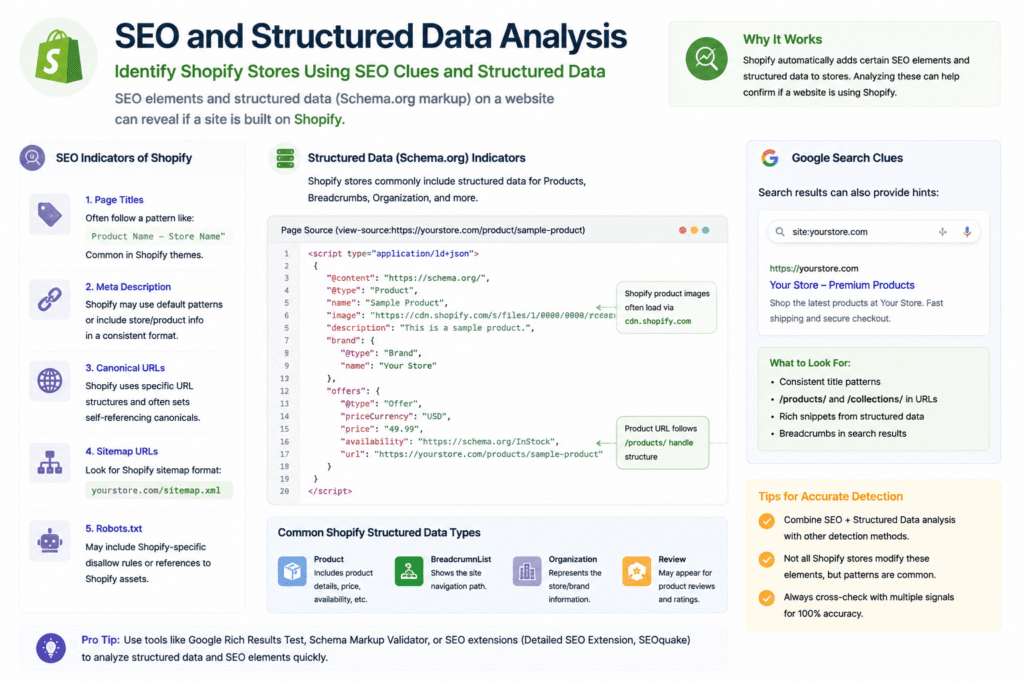
Shopify stores often include structured data formats such as JSON-LD for products, breadcrumbs, and reviews. Analyzing these data elements through SEO tools can detect Shopify-specific patterns that differentiate it from other platforms like WooCommerce or Magento.
SEO specialists use this approach to audit ecommerce websites, evaluate competitor strategies, and identify opportunities to improve their own store performance. Monitoring structured data ensures proper indexing, rich snippet eligibility, and alignment with best SEO practices.
Detecting Third-Party Integrations and Apps
Monitoring third-party integrations and apps can also indicate Shopify usage. Many Shopify merchants rely on apps for email marketing, product upsells, inventory management, or social proof. Detecting these apps via page source inspection or specialized tools provides additional evidence.
Understanding app deployment patterns can reveal trends and popular tools within the Shopify ecosystem. For developers and consultants, this knowledge allows providing tailored solutions for clients, ensuring compatibility and improving overall store functionality.
API Endpoint Analysis
Shopify exposes certain APIs for storefronts and administrative functions. Observing API requests or endpoints like “/admin/api/” can provide evidence of Shopify usage. While this method is technical, it is highly accurate for identifying Shopify platforms.
API-based detection is useful for developers integrating external systems, performing data analysis, or building Shopify-specific automation solutions. Monitoring API activity ensures smooth interactions and reduces the risk of errors when connecting third-party applications.
Combining Multiple Detection Methods
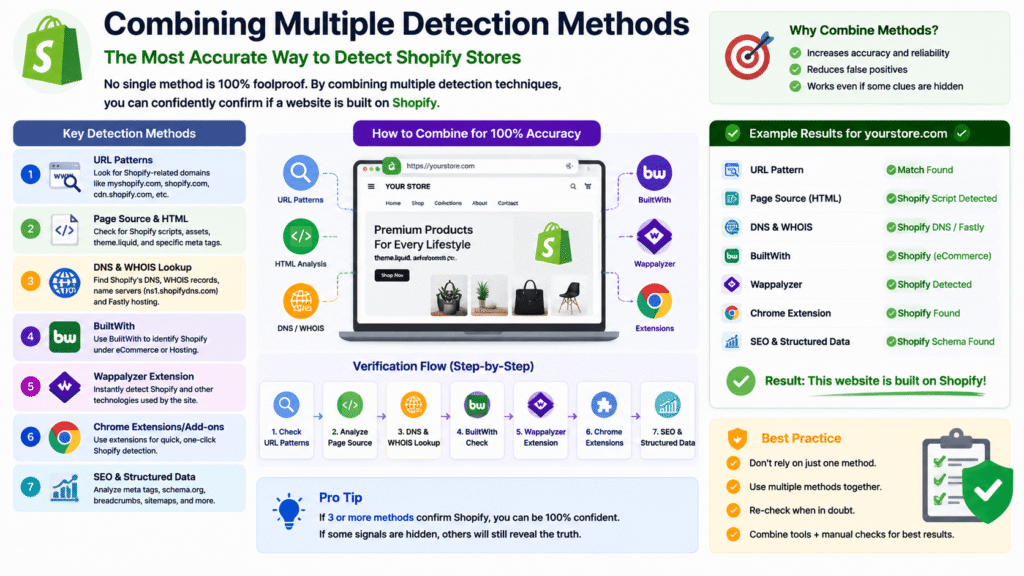
It is important to combine multiple Shopify detection methods for accuracy. Relying solely on URL structures or visual cues may lead to false positives or missed detections. Integrating URL inspection, page source analysis, DNS lookups, Wappalyzer, BuiltWith, Chrome extensions, network monitoring, and API endpoints ensures comprehensive detection.
This multi-method approach improves reliability, reduces errors, and provides actionable insights for marketing, development, or competitive analysis purposes. Professionals benefit from a complete understanding of Shopify usage when multiple techniques are combined.
Conclusion
Its Tech Club frequently shares insights and guides related to ecommerce, helping users understand platforms like Shopify and implement best practices. Shopify ecommerce platform detection methods encompass a combination of technical analysis, visual inspection, and specialized tools to accurately identify Shopify stores.
Techniques such as inspecting URL structures, analyzing source code, using BuiltWith and Wappalyzer, monitoring network requests, checking structured data, and observing API endpoints are all effective. Applying these strategies helps businesses, developers, and marketers make informed decisions, optimize performance, and improve user experience on Shopify stores.