
Exploring iOS 26 Beta 3: What You Need to Know Before Updating
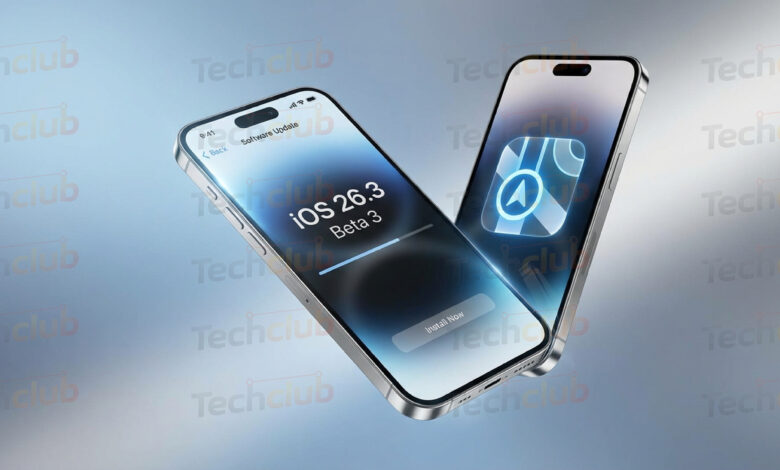
The landscape of mobile operating systems is constantly shifting, and Apple iOS 26 Beta 3 has officially arrived to shake things up once again. After a two week gap that left developers and enthusiasts speculating, Apple has moved forward with the release cycle for iOS 26.3.
If you are an iPhone user who loves staying on the cutting edge of technology, you are likely wondering what this update entails. Is it just a bug fix patch, or are there substantial changes? Based on the release of iOS 26.3 Beta 3 on January 26, 2026, for developers (and the day after for public testers), we now have a clear picture of the future.
In this deep dive, we will cover what’s new in iOS 26 beta 3, analyze the release timeline, discuss stability, and help you decide if you should install it on your primary device.
When will iOS 26 Beta 3 be released?
For many users, the most confusing part of the beta cycle is understanding the schedule. If you have been searching for when will iOS 26 beta 3 be released, the answer is that it is already here.
Apple followed a tight schedule for this release. The company released the third developer beta of iOS 26.3 on January 26, 2026. Recognizing the stability of this build, the team at Cupertino followed up very quickly. The public beta version became available just one day later, on January 27, 2026.
This rapid turnaround suggests that Apple is confident in the code. However, beta testers are only part of the equation. For the vast majority of users asking when is iOS 26 beta 3 coming out in its final form, we also have that answer. According to recent reports and the trajectory of the beta builds, the final version of iOS 26.3 was officially released to the general public on February 11, 2026.
This timeline places Beta 3 as a crucial pivot point. It is the version where features get refined before the final polish is applied for the February launch.
What’s new in iOS 26 Beta 3?

While iOS 26.3 is generally considered a lighter update focused on maintenance, Beta 3 has introduced two specific changes that are worth noting. One is a massive win for privacy advocates, and the other is a welcome quality of life improvement for the user interface.
1. Limit Precise Location for Cellular Networks
The headline feature for this update is the new “Limit Precise Location” setting. This is a significant step forward in user privacy. For years, users have been able to restrict apps from knowing their exact GPS location. Now, iOS 26 beta 3 brings that same concept to your cellular carrier.
Usually, cellular networks can determine your location based on triangulation between the cell towers your device connects to. This data is often very precise. With the new setting enabled in iOS 26.3, the operating system obfuscates this data. Instead of seeing your street address or a pin on a house, the network will only be able to see a general area, such as the neighborhood your device is located in.
This feature does have some strict requirements. It is highly dependent on hardware. According to the release notes, this feature relies on the Apple C1 or C1X modem. Consequently, this feature is currently exclusive to the iPhone Air and the iPhone 16e.
If you are using an older device, you will not see this toggle in your settings. However, industry rumors strongly suggest that the upcoming iPhone 18 lineup will expand support for this feature. For those with the supported hardware, this is a game changer. Apple has also noted that this setting does not impact signal quality or the general user experience, meaning you get extra privacy without sacrificing call quality or data speeds.
2. Share Sheet UI Updates
The second notable change in what’s new in iOS 26 beta 3 is a tweak to the Share Sheet. This is the menu that pops up when you tap the share icon to send a photo or link to a friend.
In previous versions, specifically iOS 26.2 and earlier betas, the bottom row of the share sheet featured a “More” button in the fourth slot. When a user tapped this button, it would disappear and transform into a previously hidden action. This often caused the interface to jump around or feel inconsistent.
In Beta 3, Apple has refined this interaction. The button has been renamed to “View More” and now includes a down facing arrow. When tapped, the list of actions expands naturally, and the button changes to “View Less” with the arrow flipping direction. The fourth action that used to be hidden now moves to the top of the revealed list. It is a subtle change, but it makes the operating system feel more polished and predictable.
How stable is iOS 26 Beta 3?

Stability is the primary concern for anyone thinking about installing beta software. You are right to ask how stable is iOS 26 beta 3 before risking your data or your daily workflow.
Historically, by the time Apple reaches the “x.3” updates (like iOS 26.3), the operating system is much more stable than the initial “26.0” launch. Furthermore, reaching Beta 3 usually indicates that the worst bugs have been squashed in Beta 1 and Beta 2.
Reports from early testers indicate that iOS 26 beta 3 is quite solid. The battery drain issues that plagued earlier versions seem to be resolved, and app compatibility is high. However, it is still a beta. You might encounter occasional stutters or specific third party apps that have not yet updated to support the new modem privacy features.
If you rely on your phone for critical business tasks, the general advice is to wait for the final release. But given that the final release date was February 11, 2026, the Beta 3 build is likely nearly identical to the final shipping software. It represents a “Release Candidate” level of quality.
Do you need iOS 26 for Airpod Pro 3?

A common question among accessory owners is about compatibility. Specifically, do u need ios 26 for airpod pro 3 functionality?
The short answer is that while AirPods Pro 3 will function as basic bluetooth headphones with older software, you typically need the latest version of iOS to unlock their full potential. Features like Adaptive Audio, Personalized Spatial Audio, and instant pairing often rely on the deep integration found in the latest OS.
With iOS 26 beta 3, Apple often includes updated firmware drivers for accessories. If you own the AirPods Pro 3, updating to iOS 26.3 is highly recommended to ensure the best connection stability and to fix any audio drift bugs that might have been present in iOS 26.2. While the release notes for Beta 3 focused heavily on the modem privacy features, under the hood improvements for Bluetooth accessories are a standard part of these updates.
Hardware Compatibility: The C1 Modem Era
One of the most defining aspects of Apple iOS 26 beta 3 is how it fragments features based on hardware. We are entering an era where having the latest chip matters more than ever.
The “Limit Precise Location” feature is the perfect example of this. It requires the C1 or C1X modem. This highlights Apple’s shift toward using its own in house components rather than relying on external suppliers like Qualcomm. The iPhone Air and iPhone 16e are the pioneers here.
If you are planning to buy a new phone in 2026, you should look for devices that carry these modems if privacy is your top priority. It is expected that the iPhone 18 will carry the next generation of this chip, perhaps the C2, but for now, iOS 26.3 is unlocking the potential of the C1 and C1X.
Is iOS 26 Beta 3 Stable Enough for Daily Use?
We touched on this earlier, but let’s look deeper into the question: is iOS 26 beta 3 stable enough for your main device?
If you have an iPhone Air or iPhone 16e, updating is very tempting because you gain the new privacy features immediately. For users of older phones, the incentive is lower since you only get the Share Sheet update and general bug fixes.
However, because this is the third beta of a “point release” (26.3), the risk of catastrophic failure is very low. The “Respring” loops and freezing issues common in early betas are absent here. Most banking apps and authenticators are working correctly.
If you are on the Public Beta track, you are generally safe to update. Public Betas undergo more scrutiny than Developer Betas. Since the Public Beta for this version was released on January 27, 2026, just a day after the developer build, Apple clearly deemed it safe for the masses.
How to Install the Update
If you have decided to take the plunge, installing the update is straightforward.
- Backup Your Device: Never install a beta without a fresh iCloud or computer backup.
- Enroll in the Beta Program: Go to the Apple Beta Software Program website and sign in.
- Check Settings: Go to Settings > General > Software Update.
- Select Beta Updates: Choose the iOS 26 Public Beta option.
- Download and Install: You should see iOS 26.3 Beta 3 appear.
Remember, if you prefer not to use beta software, you can simply wait. The final version was released on February 11, 2026. If you are reading this after that date, you should simply update to the official public release to get the most stable experience.
The Future of iOS 26
Looking beyond this beta, iOS 26 beta 3 sets the stage for the rest of the year. The focus on privacy regarding cellular carriers is a new frontier for Apple. We can expect future updates, perhaps iOS 26.4 or iOS 27, to expand on what data carriers can access.
The UI changes to the Share Sheet also suggest that Apple is looking to clean up legacy interface elements. The “More” button had been a staple for years, and its removal in favor of a “View More” expansion shows a dedication to smoother animations and clearer user guidance.
Summary
To summarize the key takeaways regarding Apple iOS 26 beta 3:
- Release Dates: Developer Beta 3 dropped on Jan 26, 2026. Public Beta 3 arrived Jan 27, 2026. The final version launched Feb 11, 2026.
- Privacy: A new “Limit Precise Location” feature prevents carriers from tracking your street address, but it requires an iPhone Air or iPhone 16e with a C1/C1X modem.
- Interface: The Share Sheet has been improved with a “View More” toggle that behaves more logically than the old “More” button.
- Verdict: This is a stable, safe update that prepares your phone for the future of privacy, provided you have the right hardware.
As we move further into 2026, it is exciting to see how software and proprietary hardware like the C1 modem are merging to create new capabilities. Whether you are updating for the security or just to get rid of that annoying old “More” button, iOS 26.3 is a solid step forward.