
Technology continues to transform how businesses and individuals use digital services. One of the most vital innovations today is cloud computing. This technology allows people to save data, run software, and access computing power online.
Instead of relying on local computers or on-premises servers, users connect to remote data centers. Consequently, organizations can reduce costs, scale operations quickly, and operate with greater flexibility.
Today, cloud computing underpins the digital world. Businesses store data, deliver software, collaborate, and analyze large volumes of information using cloud services. This guide explores cloud computing, its functionality, service types, and why businesses increasingly depend on it.
What Is Cloud Computing?
Cloud computing provides network, database, storage, servers, and software services via the internet. Users access these services on-demand rather than purchasing and maintaining hardware.
Traditionally, organizations purchased physical servers and ran them in local data centers. Cloud computing eliminates this need. Companies lease resources from providers who manage the servers.
Cloud providers operate massive data centers with high-capacity servers and networking equipment. Users connect via the internet and pay based on usage. This model allows businesses to expand infrastructure rapidly without buying costly hardware.
How Cloud Computing Works
Cloud computing works through a network of remote servers in data centers. These servers store information, run applications, and provide computing power.
When a user makes a request online, it is sent to the provider’s infrastructure. Virtual machines or distributed servers process the request.
Virtualization allows a single physical server to run multiple independent virtual machines. Applications operate within each virtual machine.
This setup boosts efficiency and flexibility. When demand increases, providers automatically allocate more resources to maintain performance, even during peak periods.
Types of Cloud Computing Service Models
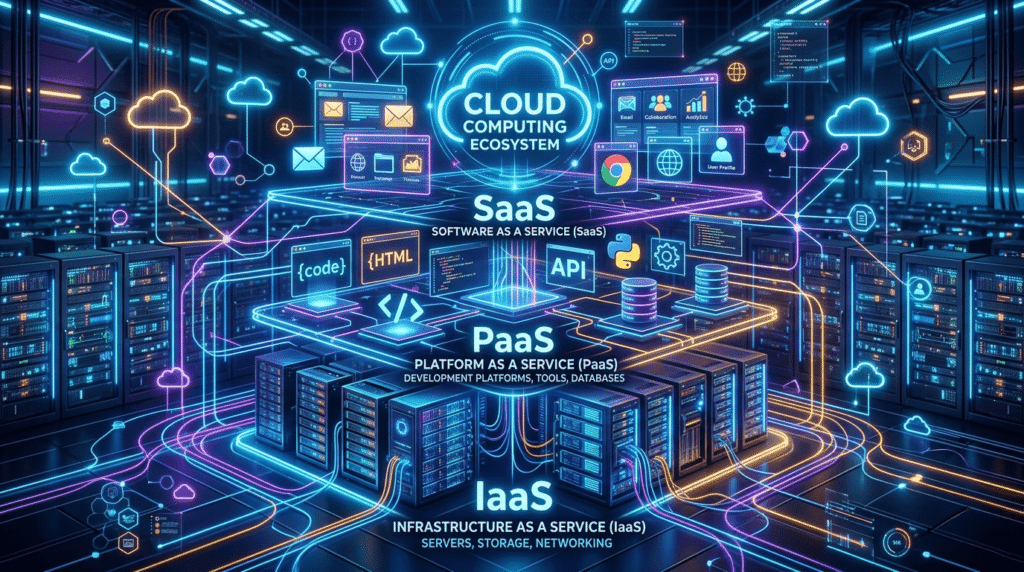
Cloud services generally fall into three main categories, each offering different levels of control and management.
1. Infrastructure as a Service (IaaS)
IaaS delivers virtual computing resources, including servers, storage, networking, and virtualization. Organizations maintain control over operating systems, applications, and settings while providers manage the data center and hardware.
For example, businesses can launch virtual machines, install software, and expand resources on demand. IaaS is ideal for hosting websites, applications, and large-scale databases.
2. Platform as a Service (PaaS)
PaaS provides a ready-made platform for building and deploying applications. Developers can focus on coding without managing underlying infrastructure.
The platform includes development frameworks, operating systems, databases, and deployment tools. Teams can collaborate easily, accelerating product development. Startups and software companies widely use PaaS.
3. Software as a Service (SaaS)
SaaS delivers fully developed applications online. Users access them via browsers or mobile apps without installation or maintenance. Providers handle updates, security, and infrastructure.
Common examples include online email, collaboration tools, and customer relationship management systems. SaaS allows access from anywhere with an internet connection.
Deployment Models of Cloud Computing
Cloud deployment models define how infrastructure is organized and accessed.
Public Cloud
Public clouds are accessible to multiple users online. Providers own and manage the infrastructure, sharing physical resources while keeping virtual environments separate. Public clouds are cost-effective and scalable.
Private Cloud
Private clouds serve a single organization. They offer better security, performance, and customization. Large organizations often use private clouds to handle sensitive data or meet regulatory requirements.
Hybrid Cloud
Hybrid clouds combine public and private environments. Businesses store sensitive information privately while using public clouds for other workloads. This approach balances flexibility, cost, and performance.
Benefits of Cloud Computing
Cloud computing delivers multiple advantages for businesses and individuals:
- Cost Efficiency – It reduces hardware and maintenance expenses. Companies pay only for what they use.
- Scalability – Organizations can adjust resources quickly. Cloud services handle peak demands efficiently.
- Accessibility – Users can access applications and data from anywhere, supporting remote work and global collaboration.
- Reliability – Multiple data centers and backup systems enhance service continuity. Many organizations rely on cloud computing for disaster recovery.
Challenges of Cloud Computing
Despite its benefits, cloud computing presents challenges:
- Security Concerns – Organizations must safeguard sensitive information using proper encryption and policies.
- Internet Dependency – Cloud services require stable internet. Connection failures can temporarily limit access.
- Compliance Requirements – Certain industries have strict rules for data storage and privacy. Companies must ensure providers comply with these regulations.
Real-World Uses of Cloud Computing
Cloud computing powers many technologies and services:
- Businesses host websites, enterprise apps, and big data on cloud platforms.
- Streaming services deliver content globally using cloud infrastructure.
- Educational institutions use cloud tools for online learning and collaboration.
- Healthcare providers store and access medical records securely via cloud networks.
Cloud computing provides the flexibility needed for most modern digital solutions.
The Future of Cloud Computing
Cloud computing continues to evolve. Businesses increasingly integrate AI, machine learning, and big data analytics with cloud platforms.
Emerging technologies like serverless architecture and edge computing enhance efficiency. Serverless computing allows developers to run applications without managing servers.
As technology advances, cloud systems will become faster, smarter, and more secure.

Final Thoughts
Cloud computing has revolutionized the way organizations use technology. Companies no longer manage complex hardware; they access computing power, storage, and software online.
This model reduces costs, enhances flexibility, and drives innovation. Cloud platforms empower businesses of all sizes to operate efficiently and deliver digital services. With ongoing advancements, cloud computing will remain central to the future of business, technology, and communication.