
Running a small business means wearing many hats at once. You answer customer emails, send invoices, chase late payments, book meetings, post on social media and still try to find time for the work you actually love. The admin tasks are small on their own, yet together they eat hours every single week.
AI automation changes that balance. You no longer need a developer, a big budget or coding skills to automate your small business with AI. Modern tools connect your apps, draft your replies and move data around while you focus on customers and growth. This guide shows you seven practical workflows you can set up this week, starting with the ones that save the most time.
In short: To automate your small business with AI, pick one repetitive task, such as email replies or invoicing, and connect an AI tool that handles it. Tools like Zapier, Make and ChatGPT move data between apps, draft replies and create documents without code. Start with one workflow, test it for a week, then add another. Many owners save hours every week.
What Does AI Automation Mean for a Small Business?
AI automation means software that carries out repetitive tasks for you, following rules you set and learning from the data it sees. A simple example is an email that arrives from a new customer and automatically gets a helpful draft reply, a calendar invite and a note in your customer list, all without you touching it.

Traditional automation follows fixed rules, such as moving every email with the word invoice into one folder. AI automation goes further because it understands meaning. It can tell a complaint from a question, summarize a long thread, draft a reply in your tone and decide which team member should see it. For a small team, that difference turns automation from a nice extra into a real member of staff that never sleeps.
How Do You Start Automating Without a Big Budget?
Start small and start with the task that annoys you most. You do not need to automate everything at once, and the best first workflow is usually the one you repeat every day.
- List the tasks you repeat. Write down every task you do more than three times a week, from replying to the same questions to copying order details into a spreadsheet.
- Time them for one week. Note how long each task takes. The ones that take the most total time are your best automation candidates.
- Pick one task to automate first. Choose a simple, low risk task such as sorting email or sending appointment reminders, not your pricing or your refunds.
- Choose one tool and learn it well. Most automation tools offer free plans and visual builders where you connect apps by dragging boxes, not writing code. Our list of the best AI tools for small business owners is a good starting point if you are choosing your first tool.
- Test before you trust it. Run the workflow alongside your manual process for a week and check every result. Only let it run on its own when the results are right every time.
- Add one workflow at a time. Once the first workflow runs smoothly, pick the next task on your list and repeat the process.
7 AI Workflows That Save Hours Every Week
These seven workflows cover the admin tasks that eat the most time in a typical small business. Each one takes an hour or two to set up and then runs quietly in the background.
1. Sort and Draft Email Replies
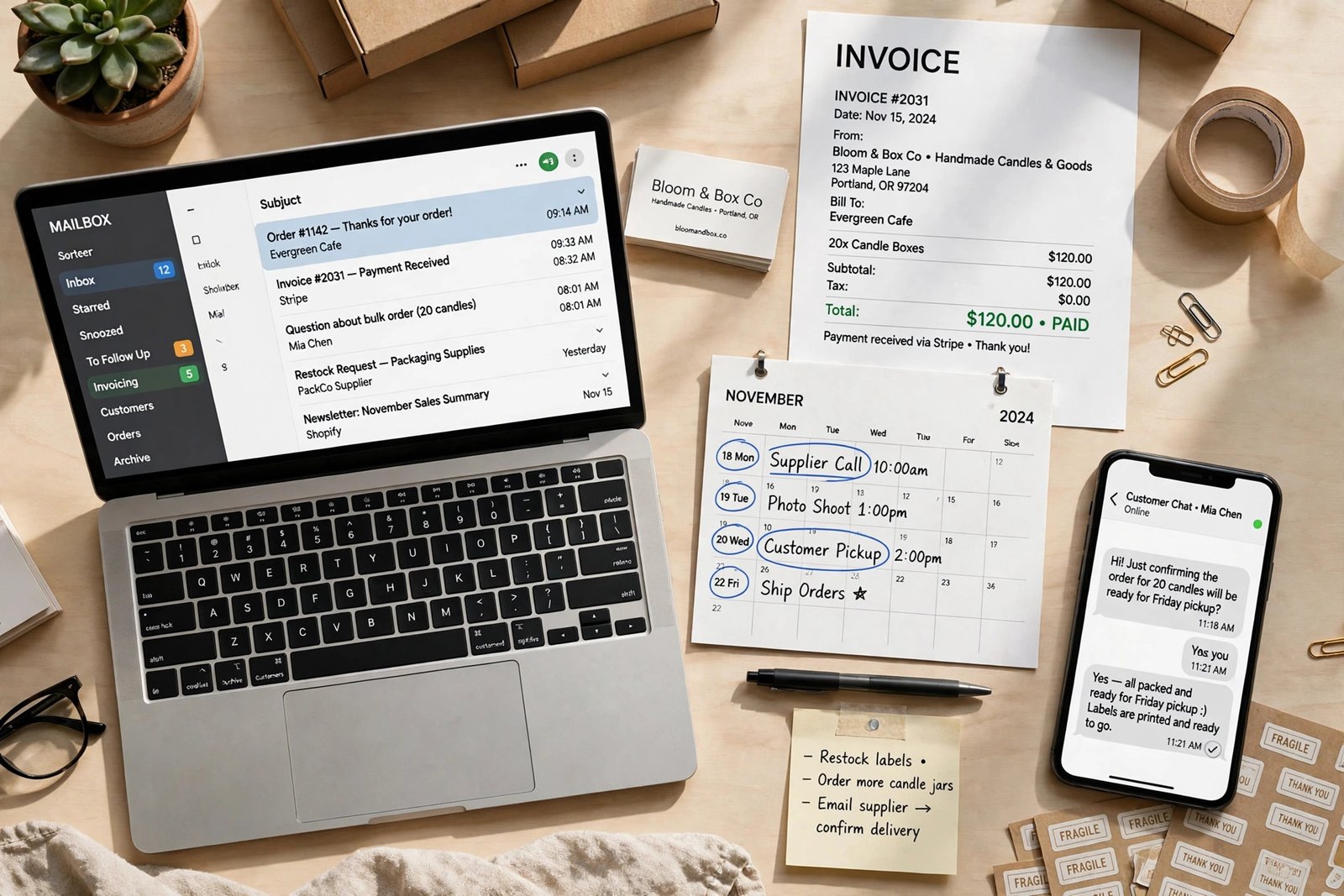
Your inbox is usually the biggest time drain in a small business. AI can read each incoming email, sort it into the right folder and draft a reply in your tone for you to review. Set rules so order questions go to one folder, support requests to another and newsletters straight to archive. Connect your email to an AI assistant through an automation tool, and ask it to draft replies using your past emails as a style guide. Always review drafts before sending, especially for unhappy customers, but most routine replies will need only a quick glance.
2. Capture Leads and Follow Up Automatically
Every lead that waits a day for a reply is a lead that may buy from someone else. When a visitor fills in your contact form, automation can add them to your customer list, send a friendly welcome email and create a follow up task if nobody replies within two days. AI can even personalize that first email with the service the visitor asked about. Set this workflow up once and no enquiry ever sits unanswered again.
3. Send Invoices and Chase Late Payments
Invoicing is essential, yet many owners put it off because it feels like admin. Connect your invoicing tool to your order system so an invoice goes out the moment a job is marked complete. Then let automation send polite reminders before the due date and firmer reminders after it. Tools such as QuickBooks and Xero handle this well, and the reminders arrive on time every time, which means you get paid faster without awkward phone calls.
4. Schedule Meetings Without the Back and Forth
The endless messages asking what time suits you are easy to remove. A scheduling tool such as Calendly shows your real availability and lets customers book a slot that works for both of you. It sends confirmations, calendar invites and reminders automatically, and it updates if someone cancels. AI adds one more layer by drafting the meeting agenda from the booking notes, so you walk into every call prepared.
5. Answer Common Customer Questions
Most customer questions repeat: opening hours, delivery times, prices and return policies. An AI assistant on your website can answer these instantly, day or night, by reading your FAQ page and your past replies. Set clear limits so the assistant hands tricky or angry messages to a human straight away. Our roundup of the best AI automation tools includes several options that add this kind of assistant to a website without code.
6. Turn Meeting Notes Into Tasks and Summaries
Meetings create work, and that work often gets lost in scattered notes. An AI note taker can join your calls, transcribe the conversation and turn it into a short summary with a list of action items and owners. Connect it to your task tool, such as Notion, and each action item becomes a task with a due date. Nobody has to type up notes again, and nothing agreed in a meeting slips through the cracks.
7. Plan and Draft Social Media Content
Posting regularly keeps your business visible, yet writing posts every day takes time most owners do not have. AI can draft a week of posts from a few bullet points about your products, offers or tips, in a tone that matches your brand. Schedule them with a social media tool and spend your time replying to comments instead of staring at a blank screen. If you sell online, AI can also speed up your listings, and our guide on how to write AI product descriptions for Etsy and Shopify shows exactly how to do that well.
Which AI Automation Tools Should Beginners Use First?
You do not need many tools. One automation connector and one AI assistant cover most of the workflows above. Pick tools with visual builders and free plans so you can test before you commit.

| Tool | Best for | Good first workflow |
|---|---|---|
| Zapier | Connecting apps with simple triggers | Sorting email and creating follow up tasks |
| Make | Visual workflows with many steps | Moving form leads into your customer list |
| ChatGPT | Drafting replies, posts and summaries | Writing first drafts of customer emails |
| Claude | Longer documents and careful editing | Turning meeting notes into clear summaries |
| Notion AI | Notes, tasks and simple databases | Keeping action items and summaries in one place |
| Calendly | Booking meetings without messages | Letting customers book their own time slots |
Start with Zapier or Make as your connector, add ChatGPT or Claude for drafting, and only add more tools when a workflow truly needs them. One tool used well beats five tools used badly.
How Much Time Can Automation Really Save?
The honest answer is that it depends on how much repetitive work you do today. A useful way to estimate it is to do simple example math on one task. A ten minute task done five times a week takes fifty minutes a week, which adds up to more than forty hours across a year. Automate three tasks like that and you have freed over two working weeks.
That time rarely shows up as a free afternoon. It shows up as faster replies, invoices sent on the day, leads answered in minutes and evenings that end on time. Track one number before and after, such as reply time or days to payment, and you will see the gain clearly within a month.
What Mistakes Should You Avoid When Automating?
Automation done badly creates more work than it saves. These five mistakes cause most of the trouble for beginners.
- Automating a broken process. If the manual process is confusing, the automated version will be confusing too. Fix the process first, then automate it.
- Removing the human completely. Customers can tell when nobody is watching. Keep a human review step on anything that affects money, refunds or unhappy customers.
- Adding too many tools at once. Each new tool adds logins, costs and things that can break. Master one tool before you add the next.
- Ignoring data privacy. Automation moves customer data between apps, so check where that data goes and what each tool stores. Never feed sensitive customer details into a tool you have not checked.
- Setting it up and forgetting it. Prices change, forms change and tools update. Review each workflow once a month and fix anything that stopped working.
Frequently Asked Questions About Automating a Small Business With AI
Do I Need Coding Skills to Automate My Small Business With AI?
No, you do not need coding skills. Modern automation tools use visual builders where you pick a trigger, such as a new email, and an action, such as creating a task. If you can fill in an online form, you can build a basic workflow. Start with a simple one, follow the tool’s templates, and ask its AI assistant for help when you get stuck.
How Much Does AI Automation Cost for a Small Business?
Many tools offer free plans that cover a small number of workflows, which is enough to start. Paid plans usually cost less than a few hours of staff time per month, and most owners find the time saved pays for the tool many times over. Start free, measure the time saved, and only pay for a plan when the free limits start to hold you back.
Will AI Replace My Staff?
AI replaces repetitive tasks, not people. It handles the sorting, copying and drafting so your team can spend time on customers, sales and creative work. Small businesses that automate usually keep the same team and simply get more done, with fewer late nights and fewer missed messages.
What Is the Easiest First Workflow to Automate?
Email sorting and drafting is the easiest first workflow for most owners because everyone has an inbox and the results are easy to check. Set the AI to sort incoming mail and draft replies for you to review. Once you trust it, add appointment reminders or invoice reminders as your second workflow.
Final Thoughts
You do not need a big team or a big budget to automate your small business with AI. Pick the one task that eats the most time, set up a single workflow this week and let it run while you check the results. When it works, add the next one. Within a month you will have several quiet helpers running in the background, and the hours they save will go back into the work that actually grows your business.
Start today with email, since it is the task every owner repeats daily. By this time next week you will wonder why you waited so long.