A website can look professional while still having serious SEO problems underneath. At itstechclub, an SEO audit helps uncover these issues before they limit organic search performance. It examines technical health, content quality, links, usability, and search visibility. Regular audits can also reveal new opportunities and help identify areas where competitors may already have an advantage.
Google explains that SEO helps search engines understand content and helps users discover websites through search. Therefore, an effective audit should focus on both search engines and real website visitors. This guide from itstechclub explains how to perform a complete website SEO audit from beginning to end, helping you identify issues, prioritize improvements, and build a stronger foundation for long-term organic growth.
What Is an SEO Audit?

An SEO audit is a detailed evaluation of a website’s search optimization and technical health. It identifies problems that may prevent pages from being discovered, understood, or displayed effectively. The process usually examines technical SEO, on-page elements, content, internal links, backlinks, and user experience.
A good audit should not simply produce a long list of technical errors. Instead, it should explain which problems matter most and why they deserve attention. The final goal is creating practical recommendations that support better visibility and stronger organic performance.
Why Is an SEO Audit Important?

Search engines need to discover, crawl, understand, and evaluate website content before displaying relevant pages. Google describes Search through three major stages called crawling, indexing, and serving results.
An SEO audit helps identify problems throughout these stages and beyond. For example, important pages might accidentally contain indexing restrictions or poor internal links. Other pages might have weak titles, unclear content, or confusing website structures.
Audits can also uncover slow pages, broken links, duplicate content, missing metadata, and weak backlinks. Fixing these issues can create a healthier foundation for future SEO improvements.
How to Do an SEO Audit

1. Check Website Indexing
Start your audit by checking whether important website pages appear within Google’s index. Google recommends using Search Console to understand website performance and indexing issues.
You can also use Google’s site: search operator for a basic indexing check. However, Google explains that this operator does not necessarily show every indexed URL.
Review important pages individually when checking their indexing status carefully. Look for unexpected noindex directives, blocked resources, or pages missing from search results.
2. Crawl the Entire Website
The next step involves crawling your website to discover technical and structural problems. A crawler can identify broken links, redirect chains, duplicate URLs, missing metadata, and inaccessible pages.
Pay particular attention to important pages receiving little internal linking support. Search engines use links to discover pages and understand relationships between different website resources.
A crawl should therefore provide both technical information and structural insights. These findings become valuable evidence for the remaining stages of your SEO audit.
3. Perform a Technical SEO Audit
A technical SEO audit examines whether search engines can efficiently access and understand your website. Review robots.txt, XML sitemaps, canonical tags, redirects, status codes, and indexing directives.
Check whether important pages return successful responses and remain accessible to search engines. Also review HTTPS implementation because secure connections contribute to a trustworthy website experience.
Google’s Search Essentials identify technical requirements, spam policies, and core best practices for Search visibility.
4. Check Website Speed and Core Web Vitals
Website performance can influence how visitors experience your pages and interact with content. Review loading performance, responsiveness, visual stability, and other important user experience measurements.
Google recommends paying attention to Core Web Vitals as part of overall page experience. However, Google also states that strong scores alone do not guarantee higher search rankings.
Use performance tools to identify pages requiring practical improvements. Compress oversized images, reduce unnecessary scripts, and improve inefficient page resources where appropriate.
5. Review Your Website Structure
A clear website structure helps visitors navigate information and helps search engines understand relationships between pages. Review your menus, categories, URLs, breadcrumbs, and internal linking structure.
Important commercial and informational pages should remain reasonably accessible from relevant sections. Avoid creating unnecessary levels that force visitors through many pages before reaching useful information.
Google recommends logical site organization because it can help users and search engines understand page relationships.
6. Conduct an On-Page SEO Audit
An on page SEO audit evaluates the optimization elements found directly on individual webpages. Review title tags, meta descriptions, headings, URLs, keywords, images, internal links, and content relevance.
Every important page should have a clear title that accurately describes its content. Headings should also create a logical structure that makes information easier to understand.
Google recommends creating unique, clear, and concise titles that accurately describe individual pages.
Avoid forcing keywords into every paragraph because natural writing remains more useful. Instead, include relevant terms where they genuinely help explain the subject.
7. Analyze Keyword Targeting
Review whether each important page targets a clear topic and meaningful search intent. Your keywords should reflect what your audience actually wants to discover.
Look for pages targeting valuable terms without sufficient useful information or topical depth. Also identify keyword gaps where competitors provide valuable information your website currently lacks.
Do not create separate pages for every minor keyword variation without a genuine content purpose. Search intent should guide your decisions rather than keyword volume alone.
8. Evaluate Content Quality
Content represents one of the most important parts of any modern SEO strategy. Review whether each page provides useful, accurate, original, and relevant information.
Remove unnecessary repetition and update outdated information when circumstances have changed. Strong content should answer important questions while providing meaningful value to the intended audience.
Google recommends creating helpful, reliable, people-first content rather than content designed primarily to manipulate rankings.
This approach also supports the principles discussed in the reference article from Its Tech Club. Focus on demonstrating useful knowledge instead of simply repeating keywords throughout your content.
9. Perform an SEO Link Audit
An SEO link audit examines both internal and external links throughout your website. Start by identifying broken links, redirected links, orphan pages, and weak internal linking opportunities.
Then review your backlink profile to understand which external websites reference your content. Consider the relevance and quality of referring domains rather than focusing only on backlink quantity.
Google explains that links can help discover pages and provide context about linked resources. Descriptive anchor text can also help users and search engines understand linked content.
10. Conduct an Off-Page SEO Audit
An off-page SEO audit focuses on signals and activities occurring beyond your website itself. Review backlinks, referring domains, brand mentions, local listings, digital relationships, and promotional opportunities.
Focus on earning relevant and trustworthy references instead of pursuing large numbers of low-quality links. A natural backlink profile should support your website’s reputation and topical relevance.
Also investigate competitors to understand where their strongest external visibility originates. This research can reveal realistic opportunities for future outreach and content promotion.
11. Check Mobile SEO
Mobile usability deserves special attention because Google uses the mobile version of websites for indexing and ranking.
Check whether mobile visitors can access the same important content available on desktop devices. Review navigation, headings, images, structured data, metadata, and interactive elements across devices.
A responsive design should provide a consistent experience across different screen sizes. Test important pages manually because automated reports cannot capture every usability problem.
12. Analyze Competitor Performance
Competitor analysis can add valuable strategic information to your SEO audit. Identify competitors ranking for your most important commercial and informational search queries.
Compare their content coverage, website structure, keyword targeting, backlinks, and user experience. Then identify areas where your website can provide something more useful or distinctive.
The objective should not involve copying competitors or reproducing their content. Instead, use their strengths to discover opportunities for creating better resources.
SEO Audit Checklist
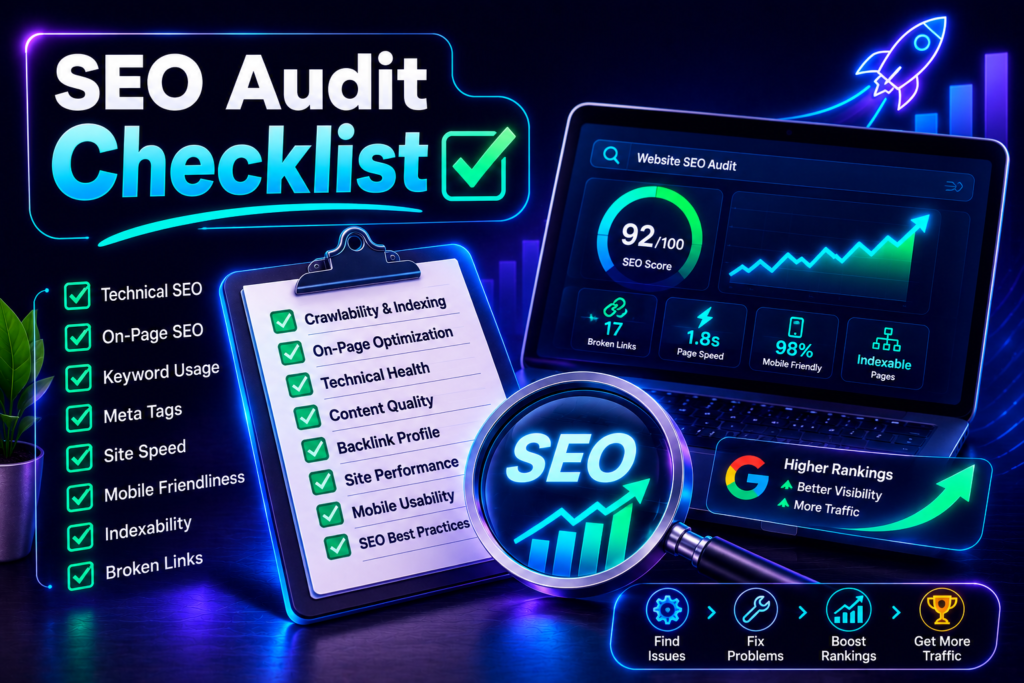
Use this simple technical SEO checklist when reviewing your website:
- Check indexing and crawlability across important pages.
- Review robots.txt and XML sitemap configuration.
- Check redirects, broken pages, and server response codes.
- Review canonical tags and duplicate URL problems.
- Test website speed and Core Web Vitals.
- Check mobile usability across important templates.
- Review title tags, descriptions, and heading structures.
- Analyze keywords and search intent for important pages.
- Check internal links and broken external links.
- Review backlinks and referring domains carefully.
- Evaluate content quality, originality, and relevance.
- Compare important pages against direct competitors.
How to Create an SEO Audit Report

An SEO audit report should transform technical findings into clear business priorities. Start with an executive summary that explains the website’s most important strengths and weaknesses.
Then organize findings into technical, on-page, content, internal linking, and off-page sections. Give every significant problem a priority based on potential impact and implementation difficulty.
Include recommended solutions rather than simply describing problems. A useful report should help website owners understand what needs fixing first and what can wait.
How Often Should You Perform an SEO Audit?

There is no universal schedule that suits every website or business. Larger websites generally require more frequent monitoring because they publish and change information regularly.
Consider conducting a complete audit after major redesigns, migrations, structural changes, or significant traffic declines. Smaller websites can combine periodic audits with regular monitoring through Search Console and analytics tools.
SEO should be treated as an ongoing process rather than one project completed permanently. Search behavior, competitors, content, technology, and websites themselves continue changing.
Common SEO Audit Mistakes
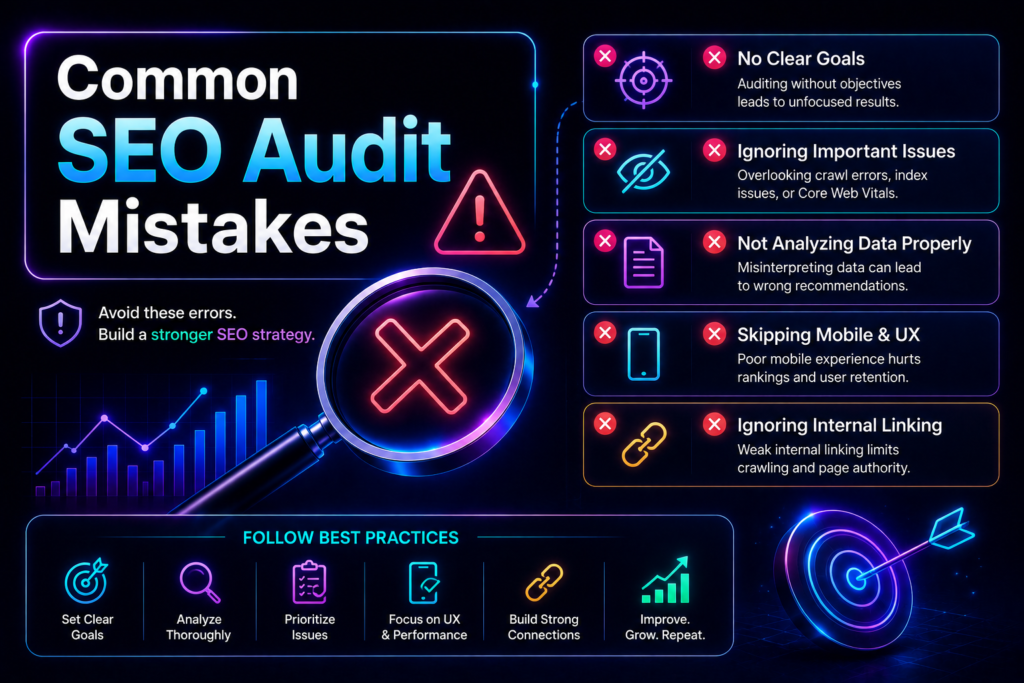
One common mistake involves focusing entirely on keyword rankings while ignoring website quality. Rankings matter, but successful SEO should also support useful content and positive user experiences.
Another mistake involves treating every automated tool warning as equally important. Some recommendations require immediate action, while others have limited practical impact.
Avoid making changes simply because a tool reports an issue. Always consider whether the recommendation improves accessibility, usability, discoverability, content quality, or genuine search visibility.
Turn Your Audit Into an Action Plan

A successful SEO audit should finish with a practical improvement plan. Start by grouping issues according to technical importance, potential impact, and implementation effort.
Fix serious indexing and accessibility problems before spending substantial time on minor optimization details. Next, improve important content, internal links, page experience, and other valuable opportunities.
Track changes after implementation and compare performance against your original measurements. This approach turns an SEO audit from a static report into an ongoing improvement process.
Conclusion
Learning how to do an SEO audit gives you a structured way to understand website performance. A complete audit examines technical SEO, content, keywords, links, mobile usability, and overall search visibility.
The most effective audits focus on meaningful problems instead of producing endless technical warnings. Prioritize improvements that help search engines discover your pages and users understand your content.
SEO is not simply about achieving higher rankings for individual keywords. It involves building a website that provides useful information and a reliable experience.
By regularly auditing your website and implementing prioritized improvements, you create stronger foundations for organic growth. The process also helps you discover opportunities that can improve visibility, engagement, and long-term search performance.