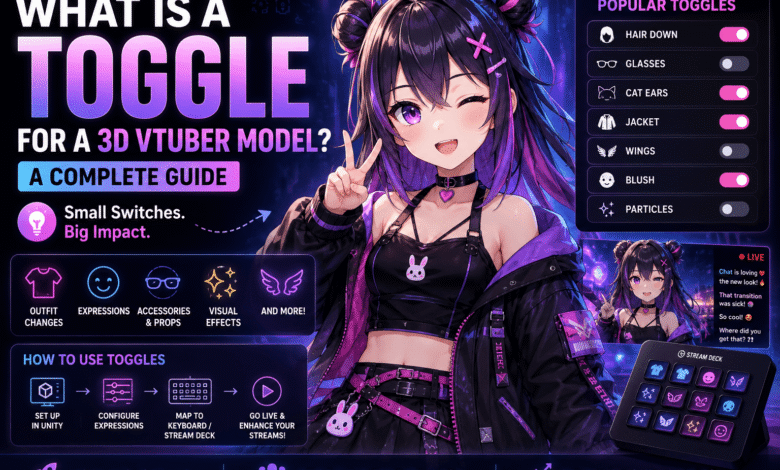
Creating an engaging VTuber experience involves more than using a well-designed avatar because interactive features keep viewers entertained throughout every stream. One of the most valuable customization tools is the ability to switch character features instantly during live broadcasts. Understanding what is a toggle for a 3D VTuber model helps creators deliver more expressive performances while improving audience engagement. At Its Tech Club, we believe mastering avatar customization allows VTubers to create memorable content without constantly editing their models.
Modern VTuber software supports a wide range of interactive features, including outfit changes, facial expressions, accessories, props, and visual effects. These features allow creators to react naturally to gameplay, conversations, and community interactions. Small visual changes can significantly improve the entertainment value of a live stream.
Whether you are a beginner or an experienced content creator, learning how toggles work makes managing your avatar much easier. Proper planning also reduces technical problems during live broadcasts. Understanding both the creative and technical aspects helps VTubers build professional and enjoyable streaming experiences.
Understanding the Basics of Avatar Customization
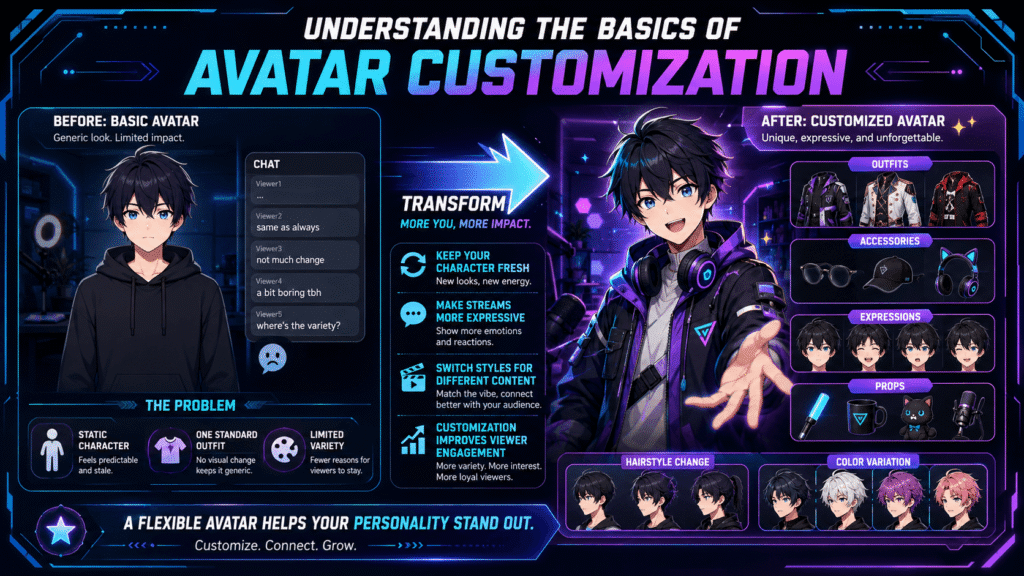
Many new VTubers begin with a single outfit and limited facial expressions because they focus mainly on creating their first avatar. While this approach works initially, viewers may eventually notice that the character rarely changes throughout different streams. Avatar customization introduces greater variety while keeping content visually interesting.
Understanding what is a toggle for a 3D VTuber model starts with recognizing that a toggle simply turns specific avatar features on or off. These features may include jackets, glasses, hats, hairstyles, props, wings, special effects, or alternative clothing options. Instead of loading an entirely different model, creators switch individual elements instantly during live broadcasts.
Customization also helps creators build a recognizable streaming personality while matching different games, holidays, or special events. Seasonal outfits, humorous accessories, and themed costumes create fresh experiences without requiring multiple complete avatars. This flexibility keeps audiences engaged while reducing overall production costs.
You may also like:
Common Types of Toggles Used by Top Streamers
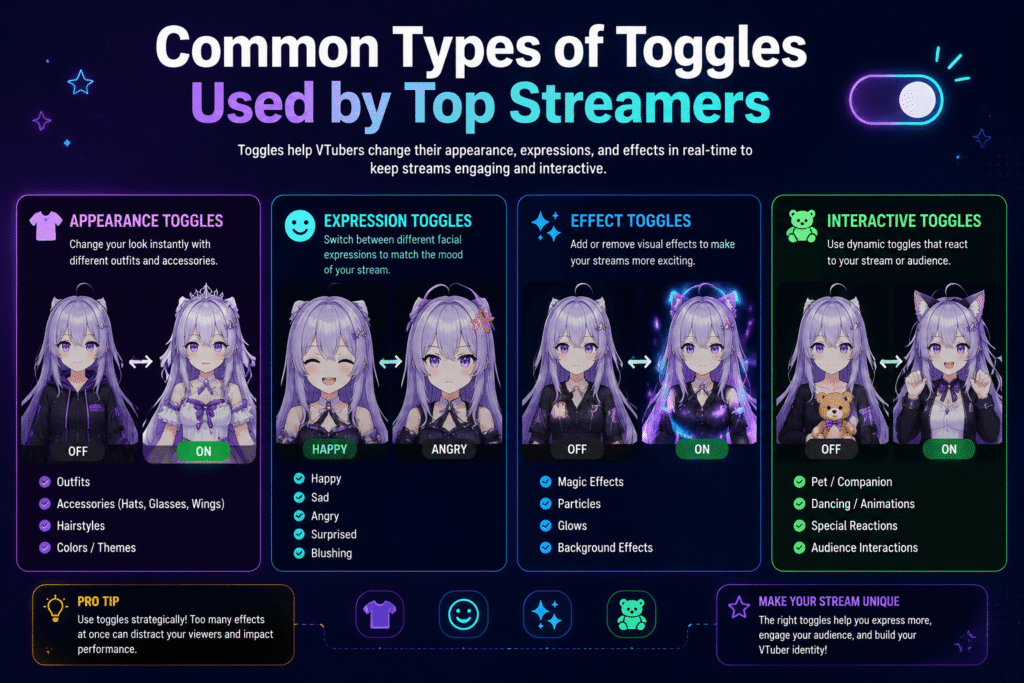
Professional VTubers often use toggles to create entertaining moments that match conversations and audience reactions. Popular examples include changing outfits, adding sunglasses, switching hairstyles, revealing cosplay accessories, displaying animated props, or activating visual effects during exciting gameplay moments. These interactive features make live broadcasts feel more dynamic.
Facial expression toggles also improve communication beyond standard face tracking alone. Creators frequently activate exaggerated smiles, shocked reactions, angry expressions, blush effects, or sparkling eyes to emphasize emotional moments. These enhancements help viewers better understand the creator’s personality throughout each stream.
Although toggles increase creative possibilities, activating too many effects simultaneously can distract viewers from the main content. Well-planned customization focuses attention on important moments instead of overwhelming the screen with unnecessary animations. Simple and meaningful visual changes usually create stronger audience engagement.
You may also like:
The Technical Side of Setting Up Expressions
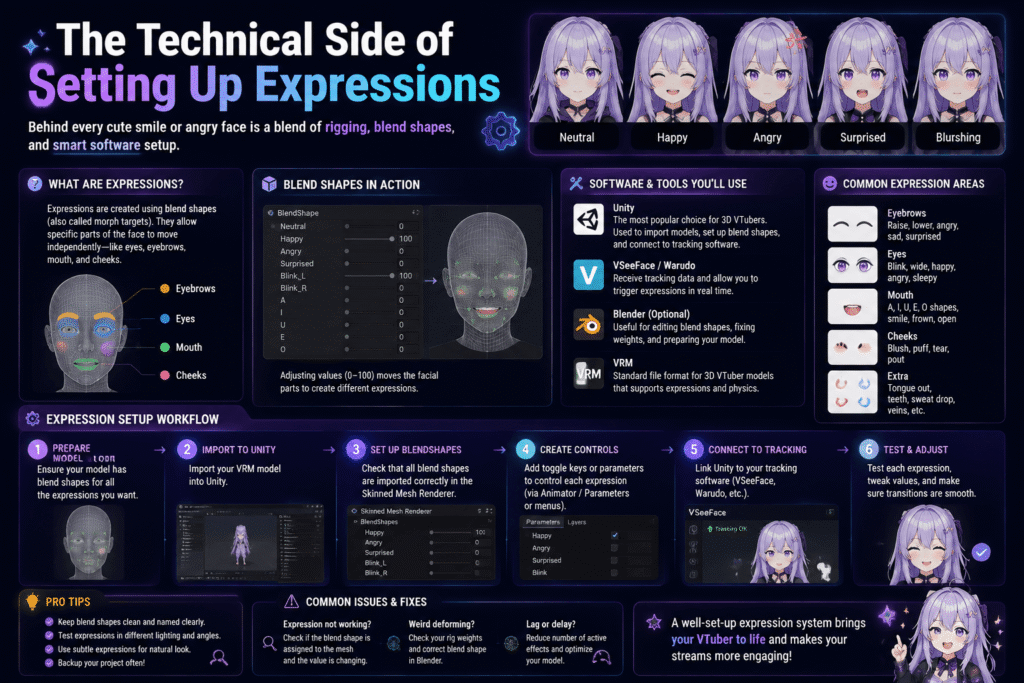
Setting up avatar expressions requires careful preparation because every facial movement must work correctly with the character’s existing rig. Most 3D VTuber models use blend shapes or shape keys that control smiles, blinking, eyebrow movement, and other facial animations. Proper configuration ensures expressions respond naturally during live tracking.
Many beginners accidentally break face tracking by modifying expression settings without understanding how animation layers interact. Incorrect blend shape values or conflicting animation controllers may cause distorted faces or tracking failures. Testing every expression before streaming helps identify problems while avoiding unexpected issues during live broadcasts.
Learning what is a toggle for a 3D VTuber model also includes understanding the software used to manage these features. Programs such as Unity allow creators to configure animation controllers before exporting compatible avatars. Careful organization and thorough testing create reliable expressions that improve streaming quality without introducing unnecessary technical complications.
You may also like:
How to Map Controls to Your Keyboard or Stream Deck
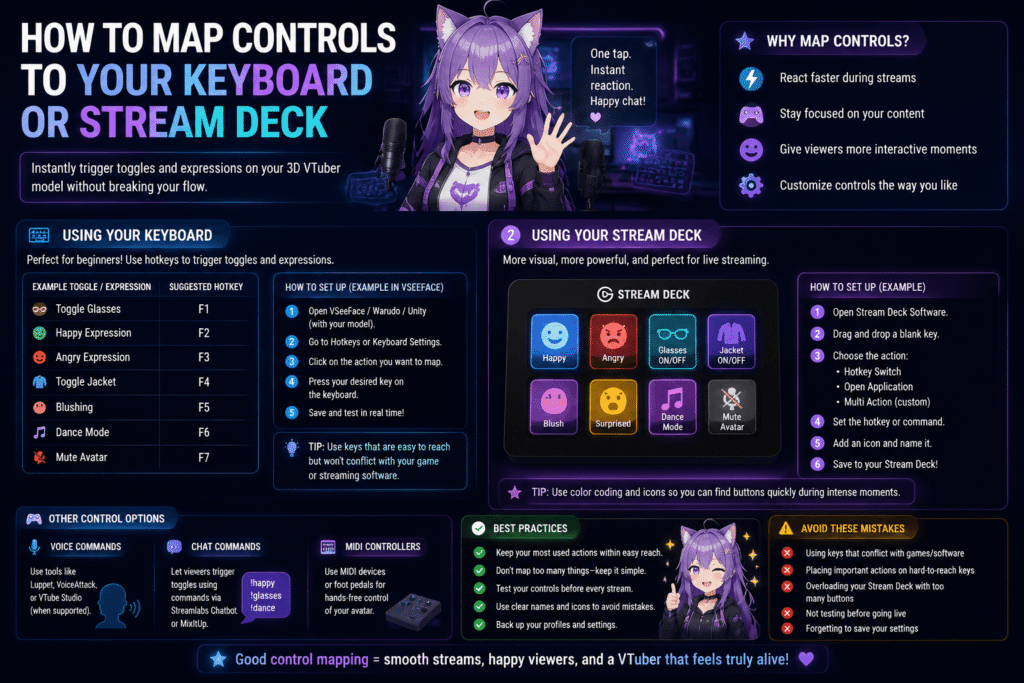
Once your avatar toggles are configured, the next step is assigning them to controls that are easy to access during live streams. Many VTubers use keyboard shortcuts because they are simple to set up and require no additional hardware. Others prefer a Stream Deck for its customizable buttons and visual labels.
Poor control mapping can interrupt the flow of a broadcast when creators search through software menus instead of interacting with viewers. Placing frequently used toggles on nearby keys or clearly labeled Stream Deck buttons allows quick activation without breaking audience engagement. Consistent layouts also reduce mistakes during fast-paced gameplay.
Testing every shortcut before going live prevents embarrassing situations, such as triggering the wrong facial expression during serious conversations. Spending a few minutes practicing control placement builds confidence and improves overall streaming performance. Efficient control mapping helps creators stay focused on entertaining their audience rather than managing software.
You may also like:
Avoiding Performance Issues with Heavy Avatar Files
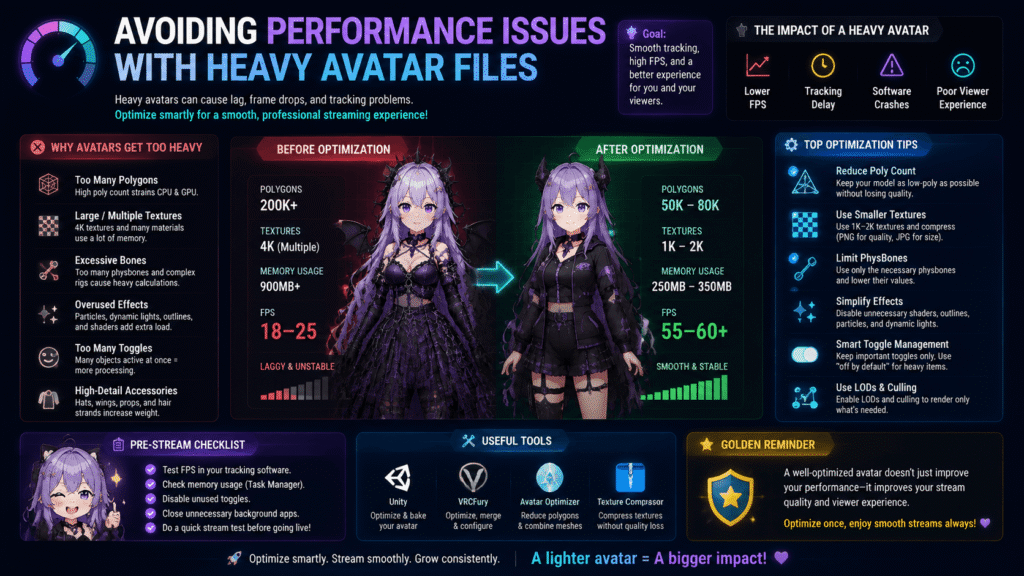
Adding numerous outfits, accessories, and visual effects can significantly increase the complexity of a 3D VTuber model. Large textures, excessive polygons, and multiple active materials consume additional system resources during live streaming. Optimizing these assets helps maintain smooth performance throughout every broadcast.
Many creators experience frame rate drops after enabling several toggles at the same time. Heavy clothing layers, detailed props, and particle effects place additional strain on both the graphics processor and tracking software. Keeping only necessary assets active improves stability while reducing the chance of crashes.
Optimizing textures, reducing unnecessary polygons, and removing unused assets create lighter models without noticeably affecting appearance. Regular performance testing also helps identify resource-intensive features before streaming begins. A well-optimized avatar delivers a better viewing experience while keeping tracking responsive during long broadcasts.
You may also like:
Best Practices for Managing Your Custom Assets
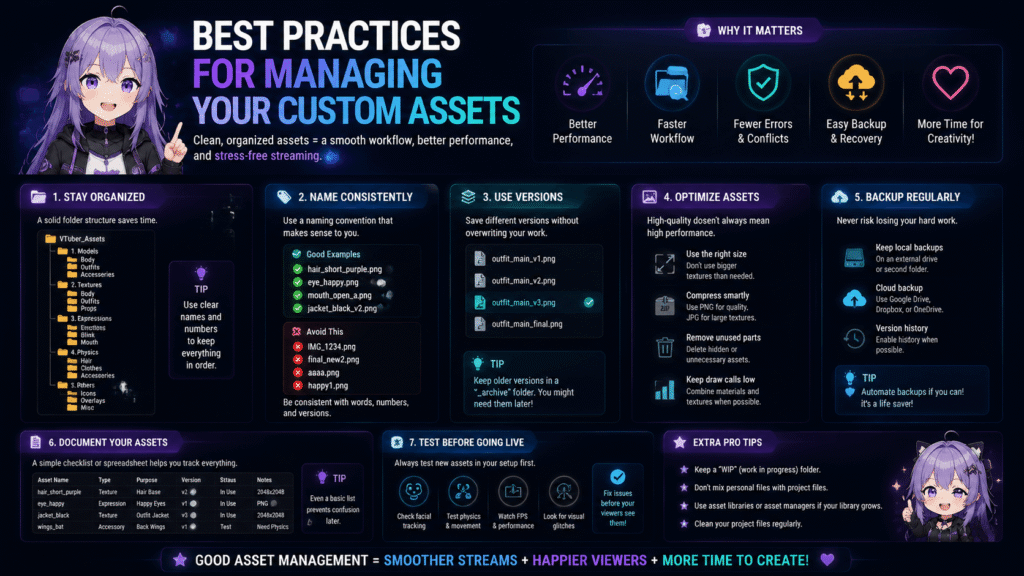
As your collection of avatar accessories grows, organizing files becomes increasingly important for efficient workflow management. Clear folder structures, consistent naming conventions, and organized project files make future updates much easier. Good organization also reduces the risk of accidentally deleting important assets.
Many VTubers eventually lose track of which toggle controls specific clothing items or visual effects. Maintaining a simple reference document listing every toggle, keyboard shortcut, and asset location saves valuable time during future modifications. This habit becomes especially helpful when collaborating with artists or technical assistants.
Understanding what is a toggle for a 3D VTuber model includes maintaining projects that remain easy to update over time. Organized assets simplify troubleshooting, reduce editing costs, and speed up future customization work. Careful file management supports long-term creativity while preventing unnecessary technical frustration.
You may also like:
Conclusion
Learning what is a toggle for a 3D VTuber model gives creators greater control over how their avatars interact with audiences during live streams. From changing outfits and expressions to activating props and visual effects, toggles make virtual characters more engaging and expressive. These features help transform static avatars into dynamic digital personalities.
Successful VTuber customization combines creativity with careful technical preparation and efficient asset management. Optimized models, well-planned controls, and organized project files improve both streaming performance and production workflow. At Its Tech Club, we encourage VTubers to master toggles because they enhance audience engagement while creating more professional and memorable virtual content.