What Is the Apple Beta Software Program
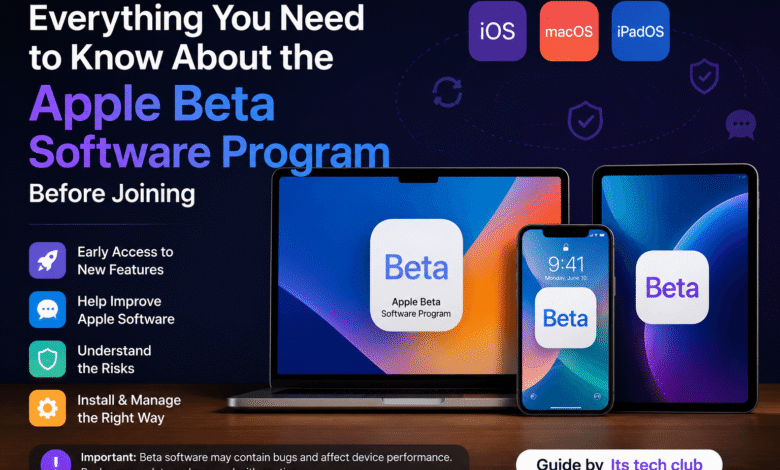
The Apple Beta Software Program is a unique initiative by Apple that allows users to try out upcoming software updates before their official release. Unlike developer-only programs, it is open to regular users who are curious about the latest iOS, macOS, iPadOS, watchOS, and tvOS features. By participating, you gain early access to new builds of Apple operating systems, allowing you to explore new functionalities and design changes. The program is free to join through Apple’s official beta portal, making it accessible to anyone with an Apple ID. Apple encourages participation because user feedback helps shape the stability and usability of the final public release.
Participation in the Apple Beta Software Program is simple but requires careful consideration. Users who join must be aware that beta software is not fully polished and may contain bugs or performance issues. Apple provides detailed instructions for downloading and installing beta profiles safely, which helps prevent common problems during updates. The program is designed for those who are curious and willing to accept the risks of running pre-release software on their primary devices. Its Tech Club often recommends evaluating whether the features you want to try justify potential instability on your daily-use devices.
Why People Join the Apple Beta Software Program
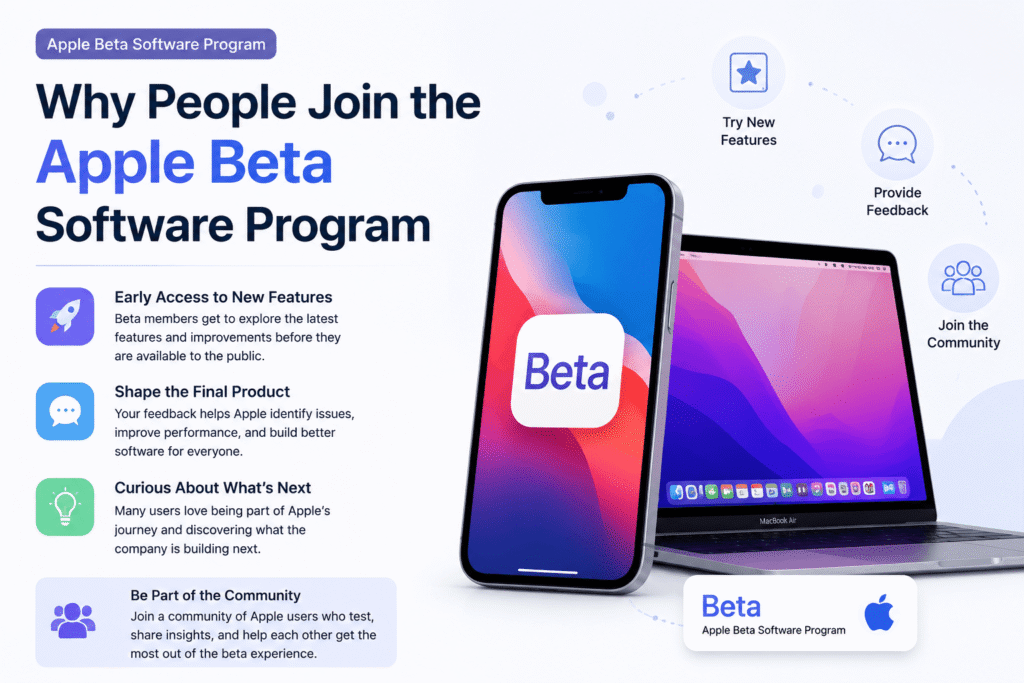
People join the Apple Beta Software Program for several reasons. Many users want to experience new features before they are released to the general public. Early access allows you to explore interface changes, new system tools, and innovative applications months ahead of the public rollout. Others enjoy contributing feedback that can improve the software before its final release. Apple collects user input on bugs, performance issues, and feature functionality, which directly influences the stability and user experience of the final product.
Some participants are simply curious about what Apple is developing next and enjoy being among the first to experience these innovations. The excitement of joining the beta program comes with responsibilities. Users should provide constructive feedback to Apple whenever they encounter bugs or unexpected behavior. The beta program also creates a unique opportunity to test Apple’s ecosystem across multiple devices and apps. Users who run multiple Apple devices can explore how features interact across iPhone, iPad, and Mac, gaining insight into Apple’s integrated ecosystem.
Real Risks of Running Beta Software on Your Device
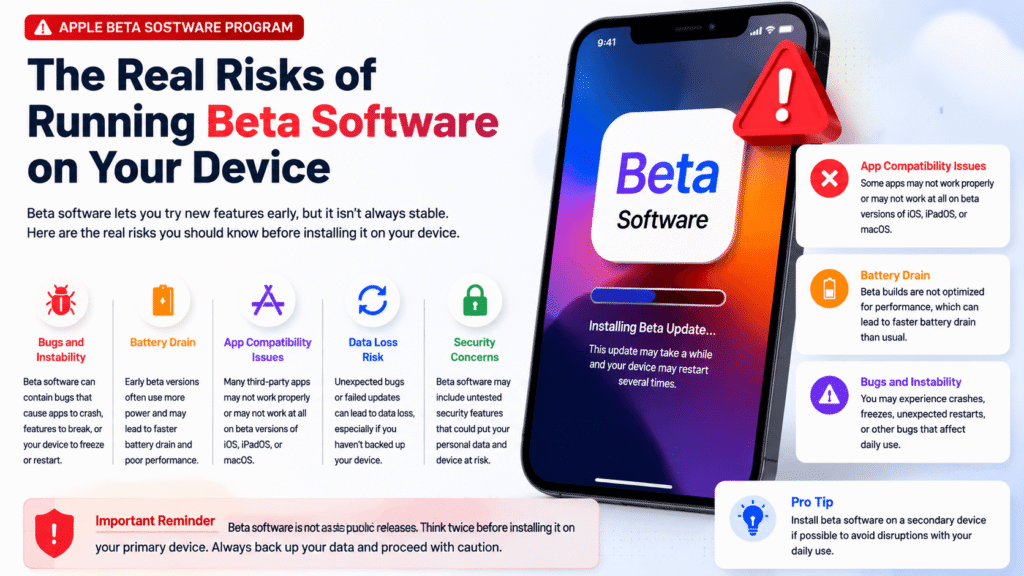
Despite the benefits, running beta software carries real risks. Bugs in early beta versions can affect daily usage, causing apps to crash or slow down unexpectedly. Core applications such as Mail, Messages, and Safari may not work as intended, impacting productivity. Battery life is another common concern because pre-release builds are often less optimized. Users may notice higher energy consumption and reduced standby time compared to stable versions. Additionally, some third-party apps may not function correctly on beta software, which can be inconvenient for users who rely on specific tools for work or personal use.
Another risk involves data integrity. While Apple generally safeguards user information during beta testing, certain bugs may cause unexpected behavior that affects files or settings. For this reason, backing up your device before installing beta software is crucial. Users should use iCloud or a local backup through Finder or iTunes to ensure that their data remains safe. Skipping backups increases the risk of data loss if you encounter a severe issue that requires reverting to a stable release. Understanding these risks helps users balance their curiosity with the need for device reliability.
Which Devices and OS Versions Are Supported
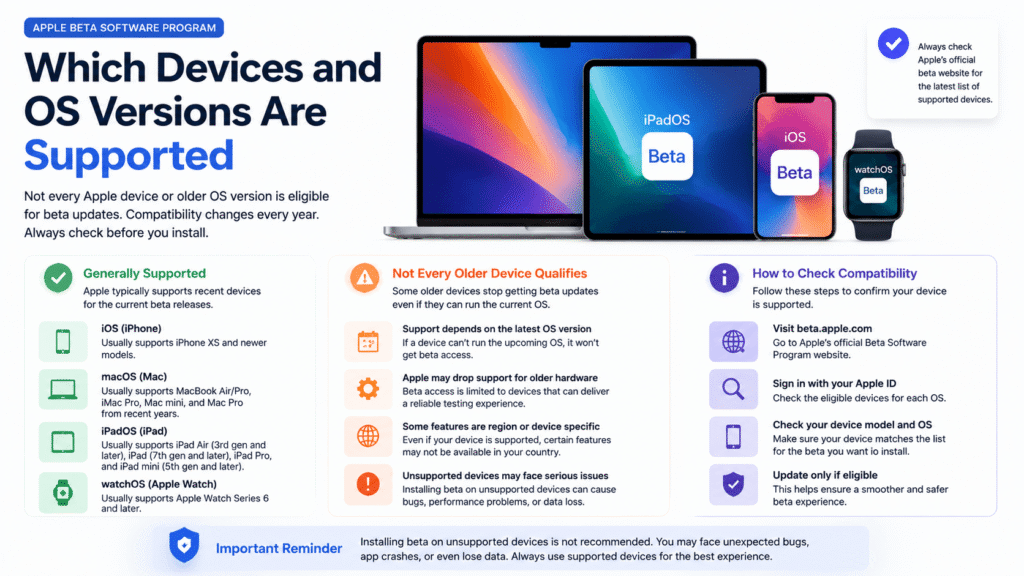
The Apple Beta Software Program does not support every device or operating system equally. Older devices may not receive every beta update due to hardware limitations. Some features are restricted to newer models, which means participants with older devices might miss out on specific enhancements. Regional variations also affect availability because certain beta features may be limited to specific countries or regions. Running beta software on an unsupported device increases the likelihood of performance issues, app incompatibility, and unexpected crashes.
Before joining, users should check which devices and OS versions are compatible with the current beta cycle. Apple provides a list of supported iPhones, iPads, Macs, Apple Watches, and Apple TVs for each beta release. Ensuring your device is supported allows you to experience new features safely while minimizing potential issues. Users who ignore these compatibility details may encounter errors during installation or functionality problems after the update, which can reduce the benefits of participating in the program.
How to Install and Set Up the Beta Profile Correctly
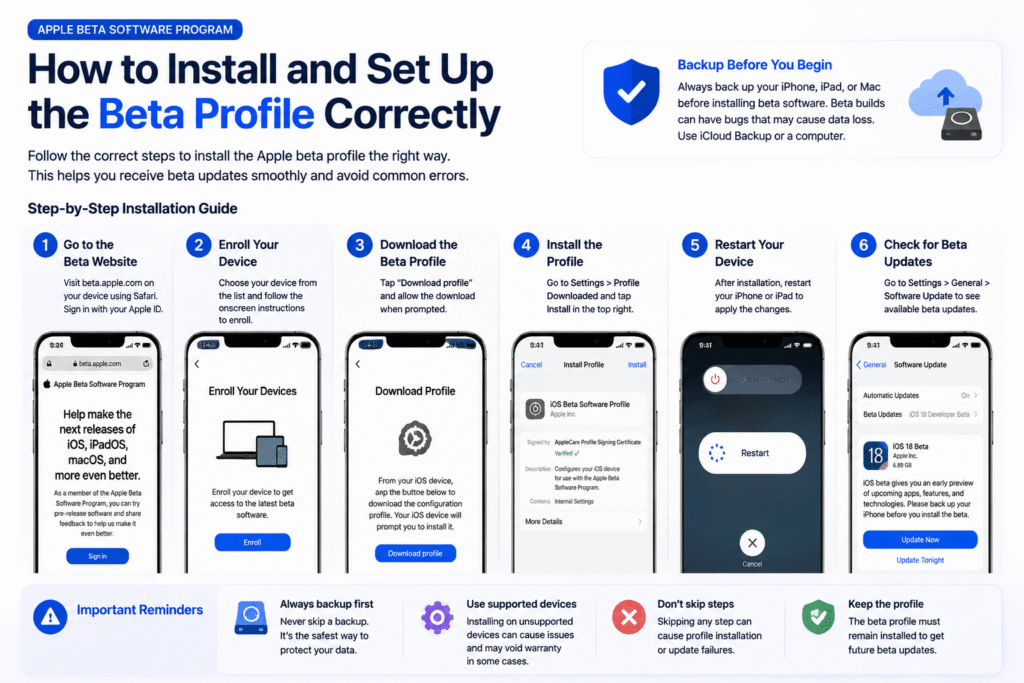
Installing and setting up the beta profile correctly is essential for a smooth experience. Apple provides step-by-step instructions on how to enroll your device in the beta program through its official beta portal. Following these instructions ensures that the device receives beta updates automatically. Users should avoid downloading profiles from unofficial sources because they may introduce security risks or cause installation failures. Proper installation is the foundation for enjoying the beta program safely while minimizing the likelihood of errors during updates.
Backing up your device before installing the beta profile is one of the most important steps in the process. Users often skip this step and encounter problems that require restoring from a backup. A complete backup ensures that if a beta update causes severe issues, you can revert your device to its previous stable state without losing important data. Apple provides detailed guidance on using iCloud or Finder backups, and following these recommendations enhances safety during beta testing. Skipping backups puts personal data and device settings at unnecessary risk.
How to Exit the Program and Go Back to Stable iOS
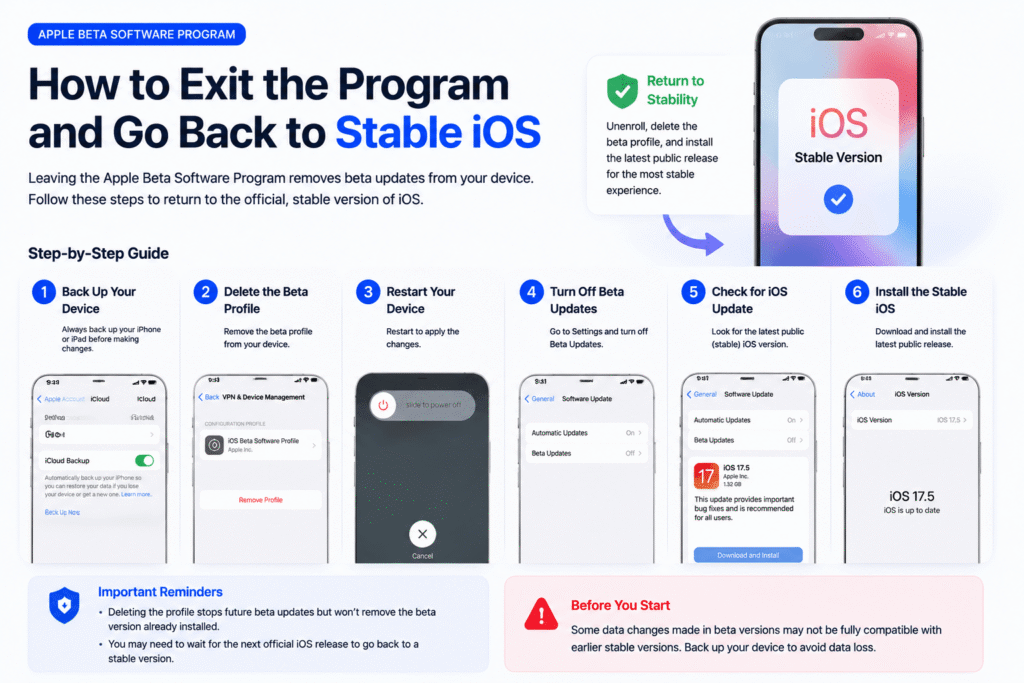
Users should understand how to exit the program and revert to stable iOS safely. Removing the beta profile does not automatically downgrade your device to the previous public release. Reverting without a backup can result in data loss or require restoring the device from scratch. The safest approach is to wait for the next public update or restore from a previously made backup. Understanding the correct exit procedure helps users enjoy the beta experience without compromising the stability of their device.
Exiting the program may involve waiting for Apple to release the next stable build or using recovery mode to restore the device. Users who attempt to downgrade without preparation may face unexpected errors. Apple provides instructions for removing beta profiles, which includes uninstalling the profile from settings and restarting the device. Properly following these instructions ensures that the device is no longer enrolled in the beta program while maintaining a stable and functional operating system.
Conclusion
The Apple Beta Software Program is an exciting way to explore Apple’s latest software developments. While it provides early access to features, users must weigh the benefits against the potential risks. Devices should be backed up, profiles installed correctly, and compatibility checked before joining. Participants who follow Apple’s official guidance can enjoy the program while minimizing issues and providing valuable feedback that shapes future releases. Its Tech Club frequently covers tips and updates for beta participants to stay informed and safe.
Overall, the Apple Beta Software Program allows enthusiastic users to participate in shaping Apple’s software ecosystem. It offers opportunities to try new features, report issues, and learn about upcoming changes before general availability. Users should prepare their devices and be ready for occasional instability. By following best practices, understanding risks, and using official Apple resources, participants can make the most of the beta program while protecting their data and ensuring a positive testing experience.
You May Also Like: